Data Curation, the Voxel51 Agent, and In-App Annotation: A CropAndWeed Walkthrough
Author

Hacker-in-Residence
Harpreet is Hacker-in-Residence at Voxel51, where he turns cutting-edge AI ideas into open-source prototypes and demos that push the boundaries of deep learning. From building tools that inspire to creating content that educates, Harpreet helps the AI community level up—one wild idea at a time.
See all articles by Harpreet Sahota
In this article
Key TakeawaysMeet CropAndWeed, Which Looks Cleaner Than It IsStep 1: Ask the Agent What's Actually in HereStep 2: The 33,000:1 Reveal — and Why That Number Lies a LittleStep 3: The Sampling Protocol vs. the Embedding ModelStep 4: Auditing Labels Without a ModelStep 5: Fix a Label Live in the App, No CodeStep 6: Export a Curated Set That Didn't Exist BeforeStep 7: Mining a Rare Class That's Already Hiding in Plain SightStep 8: Going to the Patch Level — the Fix, and Its Honest CeilingA Second Foundation Model (CRADIOv4), and a Heatmap DiagnosticStep 10: Area — the Signal That Was Free All AlongStep 11: The Free Signal That Wasn't as Free as It LookedStep 12: Building an Actual Triage Queue — and Correcting a Second AssumptionFrequently Asked Questions
In this article
Key TakeawaysMeet CropAndWeed, Which Looks Cleaner Than It IsStep 1: Ask the Agent What's Actually in HereStep 2: The 33,000:1 Reveal — and Why That Number Lies a LittleStep 3: The Sampling Protocol vs. the Embedding ModelStep 4: Auditing Labels Without a ModelStep 5: Fix a Label Live in the App, No CodeStep 6: Export a Curated Set That Didn't Exist BeforeStep 7: Mining a Rare Class That's Already Hiding in Plain SightStep 8: Going to the Patch Level — the Fix, and Its Honest CeilingA Second Foundation Model (CRADIOv4), and a Heatmap DiagnosticStep 10: Area — the Signal That Was Free All AlongStep 11: The Free Signal That Wasn't as Free as It LookedStep 12: Building an Actual Triage Queue — and Correcting a Second AssumptionFrequently Asked Questions
Try Voxel51 for yourself
A beat-by-beat walkthrough of CropAndWeed, verified with the FiftyOne SDK — including the moment I caught myself about to say something that wasn't quite true.
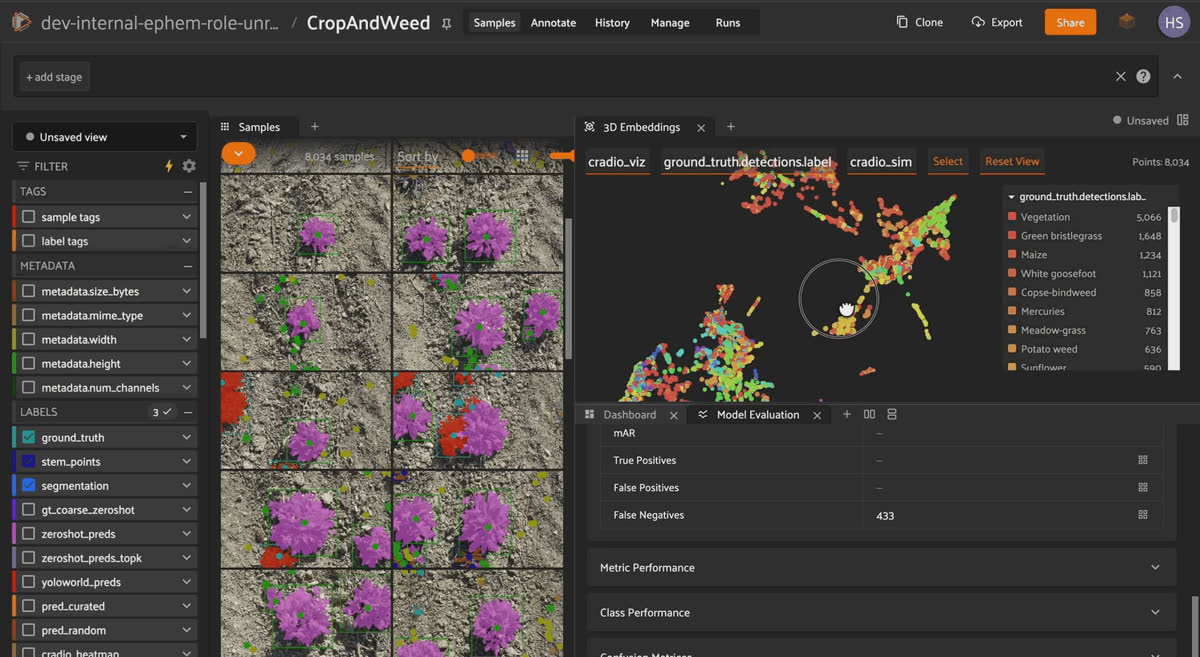
The CropAndWeed dataset open in the FiftyOne App, showing the sample grid, a 3D embeddings plot colored by class, and a model evaluation dashboard.
CropAndWeed is a hand-labeled dataset comprised of 111,953 crop and weed instances across 8,034 field images.On paper, it looks clean. In practice, it isn't. Class imbalance, near-duplicate images, and a handful of genuinely broken labels are all hiding in there, and I wanted to find them without writing a wall of analysis code by hand. So I opened the dataset in the FiftyOne App and let the Voxel51 Agent narrate its way through the mess for me. Mostly hands-off, mostly no terminal.
That audit turned out to be just the setup. CropAndWeed also has real rare classes buried in it, like species with as few as one labeled instance, that made it a good candidate for something more ambitious: an actual rare-class mining funnel. Compress, embed across three different foundation models, mine, and turn the output into an annotation-triage queue that a human could actually act on.
Steps 1 through 6 below cover the data-centric audit. Steps 7 through 12 cover the mining funnel, including the two moments where the agent told me something that sounded almost too convenient, and I had to go verify it myself before I believed it.
Key Takeaways
CropAndWeed's class imbalance ranges from 33,000 instances down to 1. But the top "class,"Vegetation, isn't a species. It's the dataset's own fallback bucket (label_id255) for anything too tiny or ambiguous to classify. Exclude it, and the corrected species-level ratio is 12,132 to 1:Green bristlegrass(12,132) vs.Black horehound(1).- The dataset's capture protocol deliberately spaced images within a session by at least 3 meters to avoid redundancy. fiftyone.brain.compute_uniqueness shows it only partially worked: the 50 least-unique samples across the entire 8,034-image dataset are concentrated in just 16 of its 929 recording sessions, not evenly distributed. One session alone (
Application Set 0067) accounts for 14 of those 50. - Using a purely geometric check, each detection's
bounding_boxand itsstem_x/stem_yattributes, uncovered 370 degenerate (near-zero-area) boxes across 192 samples, and 23 detections whose stem point falls outside their bounding box. Those were annotation defects, caught without running a single model. - 234 of the 8,034 images (2.9%) ship with a
segmentationmask but zeroground_truthdetections. Worth knowing before anyone trains a detector off this dataset without checking first. - Whole-image embedding search cannot find a rare class hiding in a busy scene. Not with CLIP, not with Qwen3-VL-Embedding-2B on a text prompt, not with an unsupervised outlier check on CRADIOv4 or Qwen3-VL. All three foundation models, all three query mechanisms, zero of eight held-out
Black nightshadesamples recovered. Patch-level embedding search is the actual fix, but it comes with a performance ceiling and isn't a magic bullet. - Bounding-box area is a nearly-free triage signal that needed zero new model compute: the 23 known stem-point defects average 1,423.9 px², roughly 10x smaller than the dataset-wide mean of 13,681.3 px².
- The tempting rule "rare classes hide in the
Experimental Set" only holds for 6 of 19 rare classes checked — 13 skew the other way. A pattern that fits one example isn't a rule until it's checked against more than one example. - Every number in this post came from either a sentence typed into the Voxel51 Agent or a script short enough to read in one sitting (
scripts/dataset_facts.py) — no separate analysis notebook, no manual counting in a spreadsheet.
Meet CropAndWeed, Which Looks Cleaner Than It Is
CropAndWeed is developed by the AIT Austrian Institute of Technology (Steininger, Trondl, Croonen, Simon, and Widhalm; WACV 2023) and is built for automated, plant-specific weed intervention.Images come from two sources: an "Application Set" shot at real commercial farm sites in Austria under uncontrolled field conditions, and an "Experimental Set" shot on dedicated plots grown specifically to enrich the dataset with rare weed species that don't show up often enough in the wild. Both were captured over four years, March through July, with a fixed 50mm lens from roughly 1.1 meters up, in a top-down view.
The FiftyOne build I'm working with has three label types living on every sample:
ground_truth (Detections, one box per plant instance), stem_points (Keypoints, one per instance marking its stem position), and segmentation (a per-pixel semantic mask). Four string primitives (moisture, soil, lighting, separability) record the conditions at the time of capture.Keep it honest. The official taxonomy has 100 classes (99 species/growth-stage labels plus the Vegetation fallback). Only 84 of them actually appear in ground_truth.detections.label in this particular 8,034-image release. The other 16 exist in the spec but not in this specific set of annotated images. And there's no official train/val/test split shipped with the raw annotation release; whatever curated subset comes out of this workflow is one I build myself, not one that already existed.
Step 1: Ask the Agent What's Actually in Here
Instead of writing out a description of the dataset myself, I open the FiftyOne App with
CropAndWeed loaded and type into the Agent panel:"Give me a quick overview of this dataset — media type, label fields, and anything unusual in the metadata."
The agent comes back narrating the three label types, the four condition primitives, and the session structure. That's the whole point of leading with the agent instead of writing the summary myself: you hear the dataset describe itself, and nobody had to write
dataset.get_field_schema() by hand to make it happen.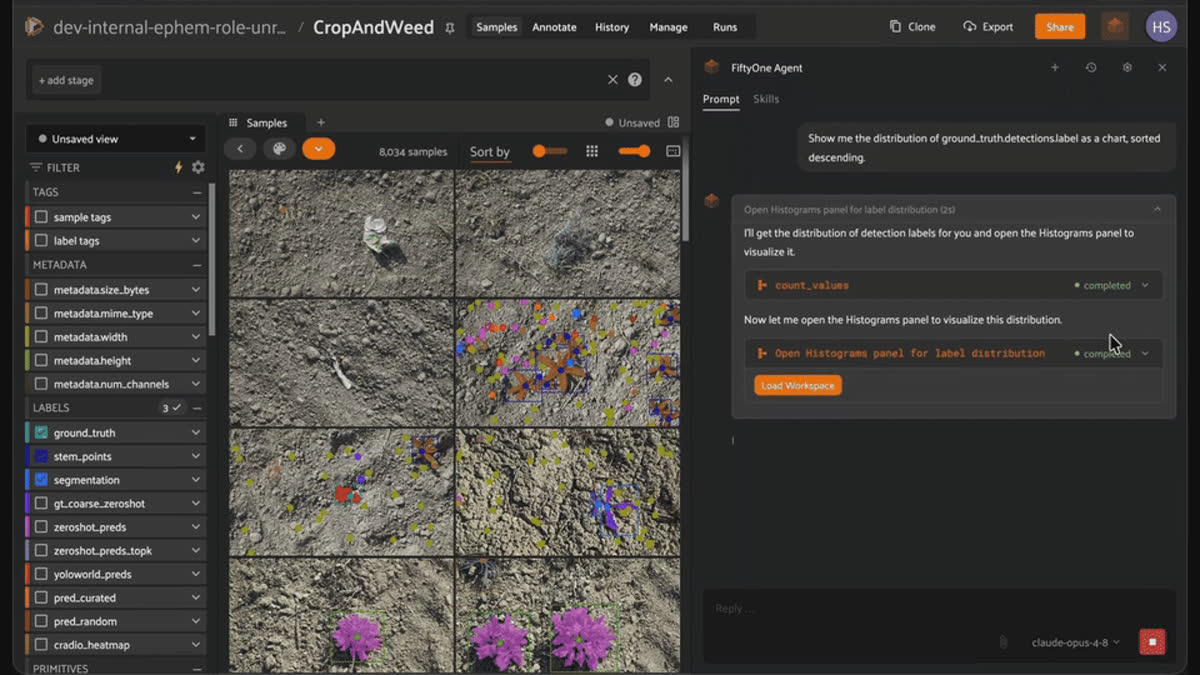
The Voxel51 Agent answering a prompt for a dataset overview by running a dataset_summary tool over CropAndWeed's media type and label fields.
| Issue | What was found | How it was found |
|---|---|---|
| Class imbalance (corrected) | 12,132:1 species-level ratio (Green bristlegrass vs. Black horehound), after excluding the Vegetation fallback bucket | count_values on ground_truth.detections.label |
| Near-duplicate concentration | 50 least-unique images cluster in 16 of 929 sessions (one session accounts for 14) | fiftyone.brain.compute_uniqueness |
| Degenerate boxes | 370 near-zero-area boxes across 192 samples | Geometric check on bounding_box |
| Stem points outside their box | 23 detections | Geometric check on stem_x / stem_y |
| Masks with no detections | 234 of 8,034 images (2.9%) | Field-presence check |
Step 2: The 33,000:1 Reveal — and Why That Number Lies a Little
Next:
"Show me the distribution of ground_truth.detections.label as a chart, sorted descending."
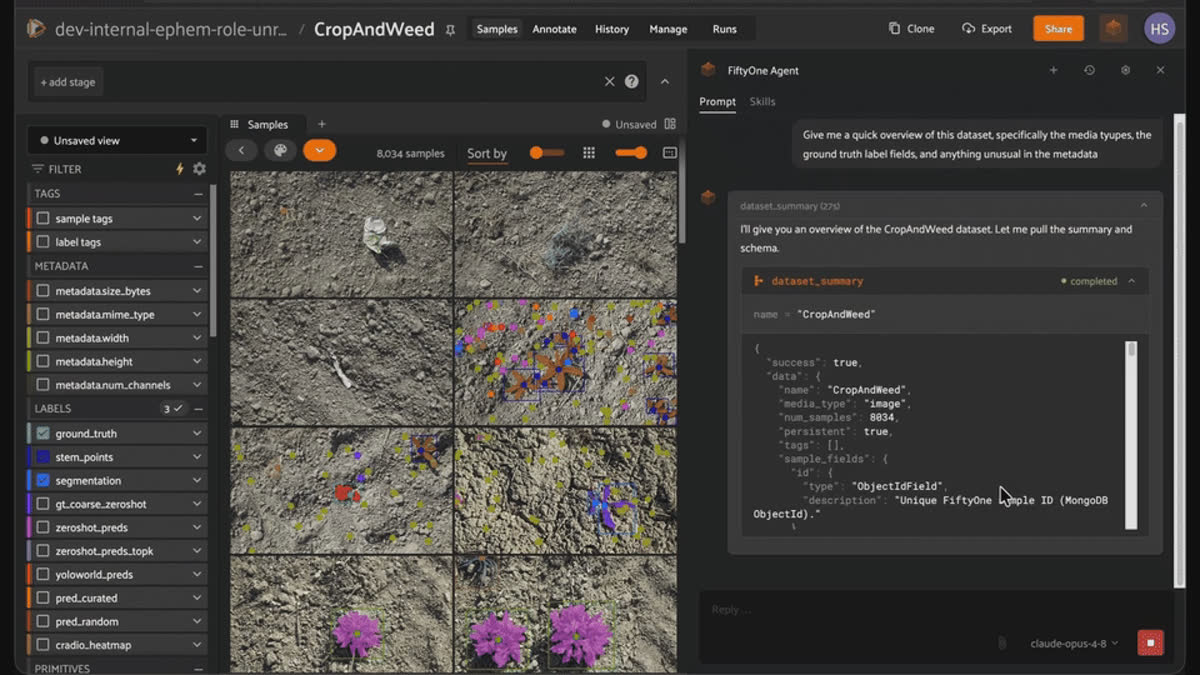
The Voxel51 Agent generating a descending class-distribution chart of CropAndWeed detection labels in the Histograms panel.
The chart is dramatic.
Vegetation sits at 33,000 instances. Black horehound, Frosted orach, and Common dandelion sit at 1 apiece. That's a genuine 33,000:1 ratio, and it's tempting to just land on that number and move on.Good to know. What actually is `Vegetation`? It's not a plant. Per the dataset's own documentation, Vegetation is label_id 255. It's a fallback class assigned to any instance too small (under roughly 16x16 pixels), too ambiguous, or otherwise excluded from fine-grained classification. It shows up in both ground_truth and segmentation. In other words, the single most common "class" in this dataset is a data-quality signal wearing a species label.
Pull it out, and the real species-level imbalance is
Green bristlegrass at 12,132 instances vs. Black horehound at 1, still more than 12,000 to 1, and now it's a claim about actual biology instead of an artifact of how the annotation pipeline handles hard cases. I'll lead with 33,000:1 for the shock value, then immediately hand you the correction, because the correction is the more useful lesson: check what's actually inside your biggest bucket before you build a dashboard, a report, or a rebalancing strategy around it.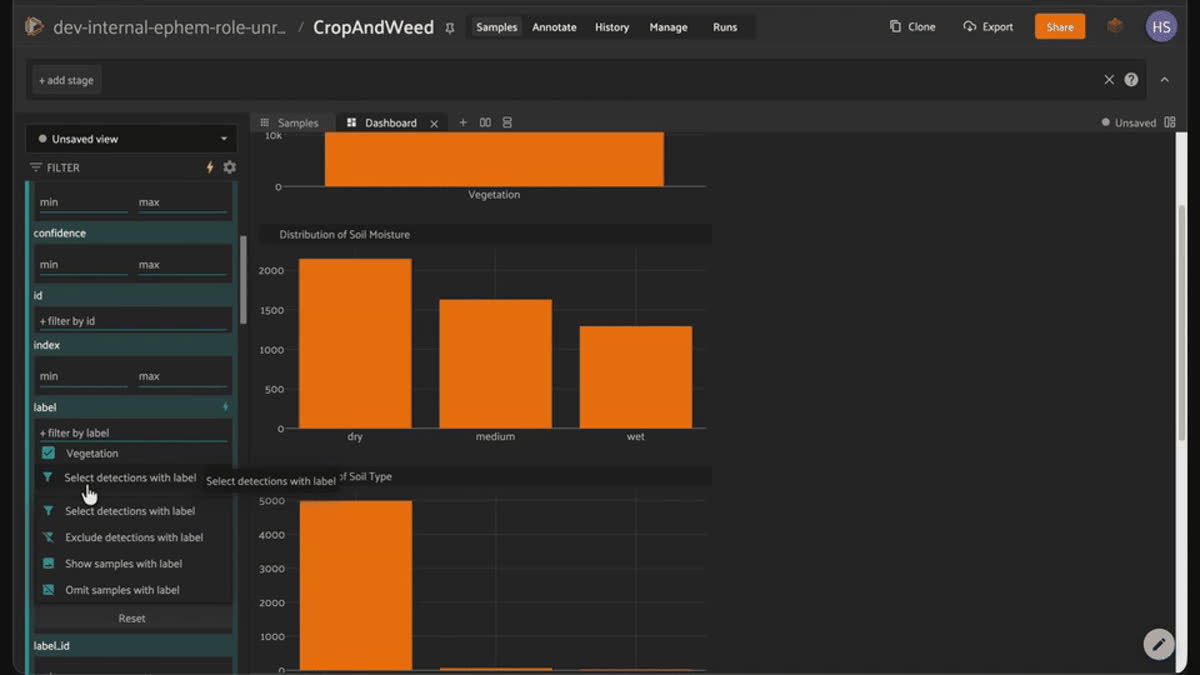
A FiftyOne dashboard showing CropAndWeed's class imbalance, with the Vegetation fallback bucket dwarfing every species, alongside soil moisture and soil type distributions.
Step 3: The Sampling Protocol vs. the Embedding Model
Next on the list of messy realities: near-duplicate frames. I almost got this one wrong because I didn’t fully understand what one of the sample fields meant.
I initially thought that image_id was a unique value for each image. But really, it's a field that repeats hundreds of times throughout the dataset (0002 appears 519 times, 0004 appears 505 times). That repetition looked like duplicate frames to me. It's a satisfying idea: drone-style top-down field imagery, shot in bursts, probably has redundant frames, right?
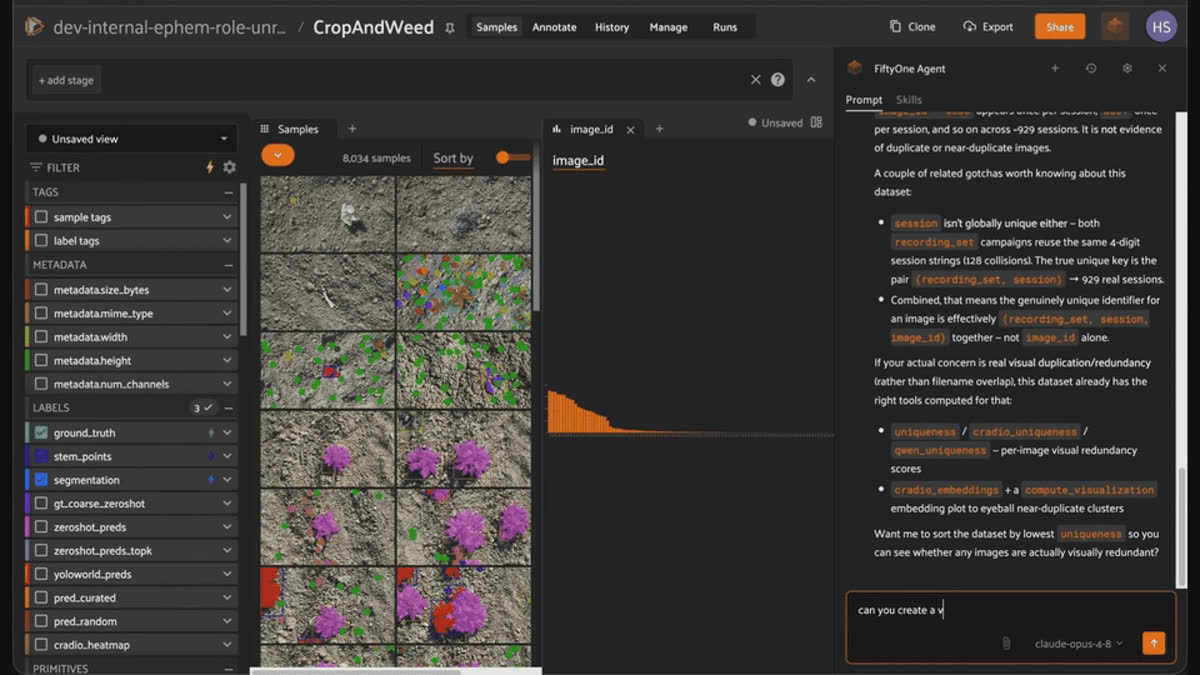
The Voxel51 Agent explaining that CropAndWeed's image_id repeats per recording session and is not a reliable signal for duplicate images.
Keep it honest. image_id is a 4-digit counter that resets to 0000 at the start of *every session*. Its repetition across the dataset is just a filename convention. Every session numbers its own images starting from zero, so, of course, the string "0002" appears hundreds of times across the dataset's 929 recording sessions. It says nothing about duplicate frames. (That 929 number took its own correction, too: a naive dataset.distinct("session") returns only 801, because 128 session-ID strings are *also* reused across the two recording sets — the same "0001" exists in both. Group by (recording_set, session) instead and you get the 929 the dataset card actually reports.) Worse, the card explicitly states that images within a session were captured at least 3 meters apart *specifically to avoid redundancy*. My hunch wasn't just unverified; it was aimed at a field designed to disprove it.
So I asked the actual question instead: did that 3-meter rule work, as far as an embedding model is concerned? I ran
fiftyone.brain.compute_uniqueness on the full dataset and sorted for the least-unique samples:import fiftyone as fo
import fiftyone.brain as fob
dataset = fo.load_dataset("CropAndWeed")
fob.compute_uniqueness(dataset)
least_unique = dataset.sort_by("uniqueness")[:50]
print(least_unique.count_values("session"))The 50 least-unique samples across the entire 8,034-image dataset are concentrated in just 16 of its 929 recording sessions — one session (
Application Set 0067) alone accounts for 14 of those 50 samples. If uniqueness were spread evenly across sessions, you'd expect something closer to 50 different sessions represented, not 16. The spacing rule didn't fail outright, but it didn't fully outrun how similar one field, photographed patch by patch, looks to a generic embedding model. That's a more honest and, I think, more interesting story than "these are duplicates" — it's a story about the limits of a sampling protocol, not a story about sloppy data collection.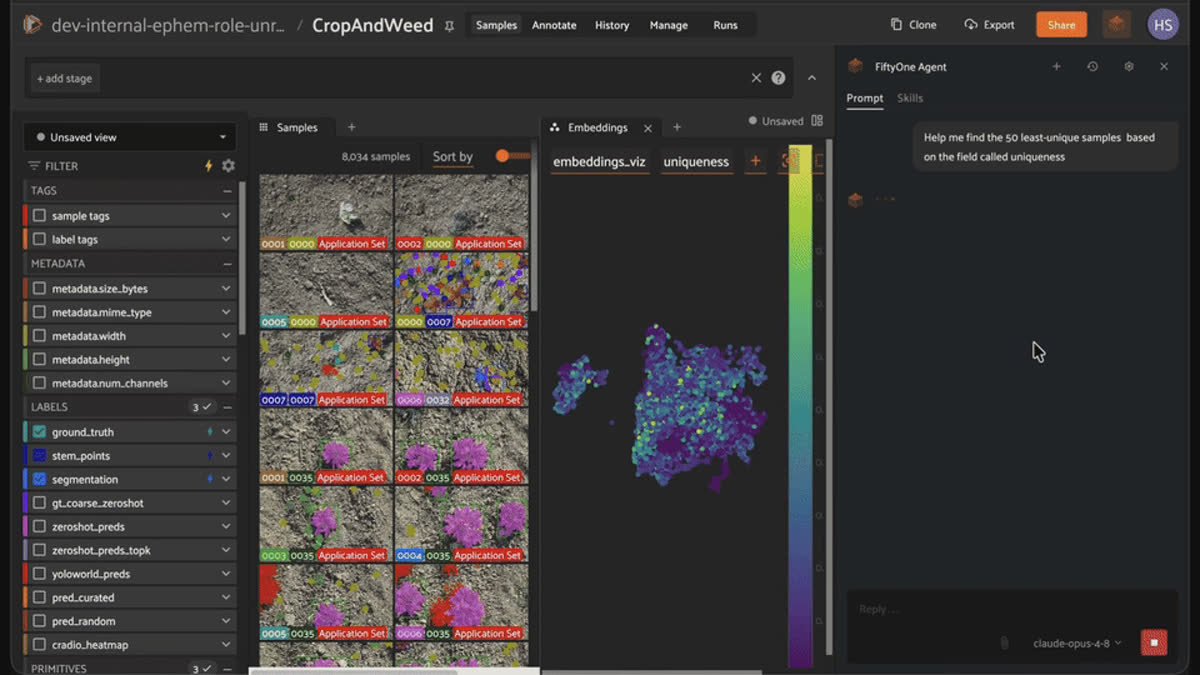
The Voxel51 Agent surfacing the 50 least-unique CropAndWeed samples with compute_uniqueness, shown on an embeddings plot colored by uniqueness score.
Step 4: Auditing Labels Without a Model
Every one of the 111,953 instances in
ground_truth was hand-drawn, then reviewed by majority vote among annotators for the hardest image batches, per the dataset's own annotation process. That's about as close to "trustworthy" as a label gets. I still checked.Two checks, neither requiring a model or predictions of any kind:
Degenerate boxes. Any detection with a bounding box side under 0.001 (normalized) is functionally a point, not a box:
from fiftyone import ViewField as F

tiny = dataset.filter_labels(
    "ground_truth",
    (F("bounding_box")[2] < 0.001) | (F("bounding_box")[3] < 0.001),
)
370 instances, across 192 samples.
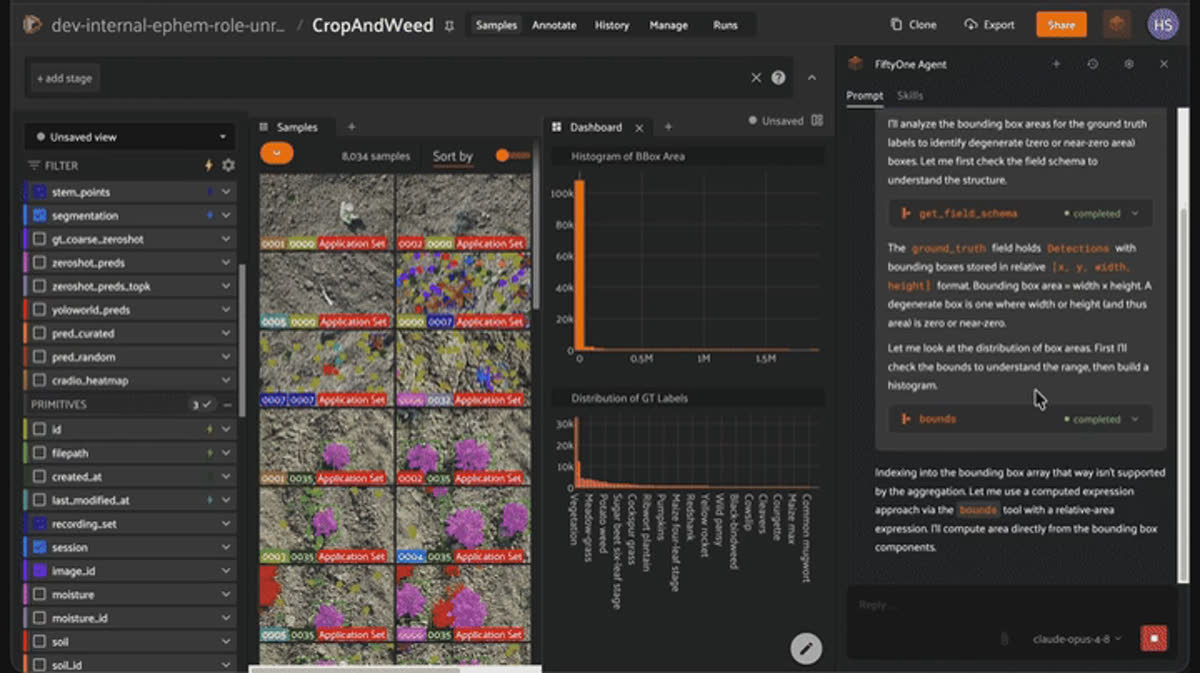
The Voxel51 Agent auditing CropAndWeed bounding-box areas to flag degenerate near-zero-area boxes, with a bbox area histogram and label distribution.
Stem points outside their own box. Each
Detection in ground_truth carries its own stem_x/stem_y attributes in pixel coordinates — so checking whether a plant's marked stem position actually falls inside its own bounding box doesn't require matching across the separate stem_points field at all, just comparing a detection against itself:for sample in dataset.select_fields(["ground_truth", "metadata"]):
width, height = sample.metadata.width, sample.metadata.height
for det in sample.ground_truth.detections:
x, y, w, h = det.bounding_box
box_x0, box_y0 = x * width, y * height
box_x1, box_y1 = (x + w) * width, (y + h) * height
if not (box_x0 <= det.stem_x <= box_x1 and box_y0 <= det.stem_y <= box_y1):
# flag it
...23 detections fail that check. One of them is a
Sugar beet six-leaf stage instance — a real crop, not the Vegetation catch-all — which makes it a better on-screen example than a generic fallback label. I bookmarked that exact sample (6a4ebad92c05998791d538a9, detection 6a4ebad82c05998791d5002f) as a saved view, so I always have a reliable example on hand even if a live filter surfaces something different in the moment.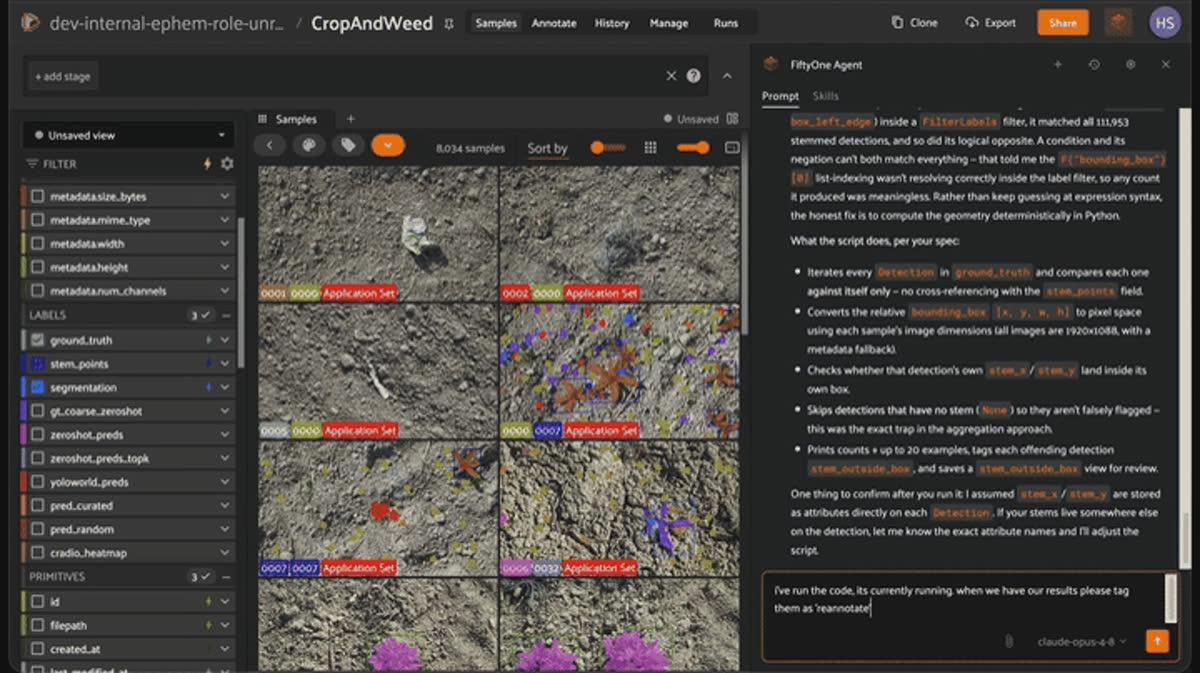
The Voxel51 Agent running a geometric check for stem points that fall outside their own bounding box and tagging the offending detections for reannotation.
Step 5: Fix a Label Live in the App, No Code
This is the part the rest of the workflow was building toward: opening that bookmarked sample in the App's expanded view, switching to the Annotate tab, and fixing the stem point by dragging it into the actual bounding box — no code, no notebook, just the new in-App annotation editor.
From there, the tour extends to the other label types on the same dataset: resizing a
ground_truth box, adding an instance mask to a detection via the AI-assist tool (click one positive point, get a mask), and editing a moisture or lighting value through the primitive dropdown editor. Three label types plus four editable primitives, all on one dataset, is most of what the in-App annotation surface can do, in one sample.Keep it honest. The AI-assist mask tool is the one step in this whole workflow I haven't dry-run yet. Everything else in this post is backed by a script I actually ran against the real data. This one still needs a hands-on pass in the App itself before I'd claim it works exactly as described.
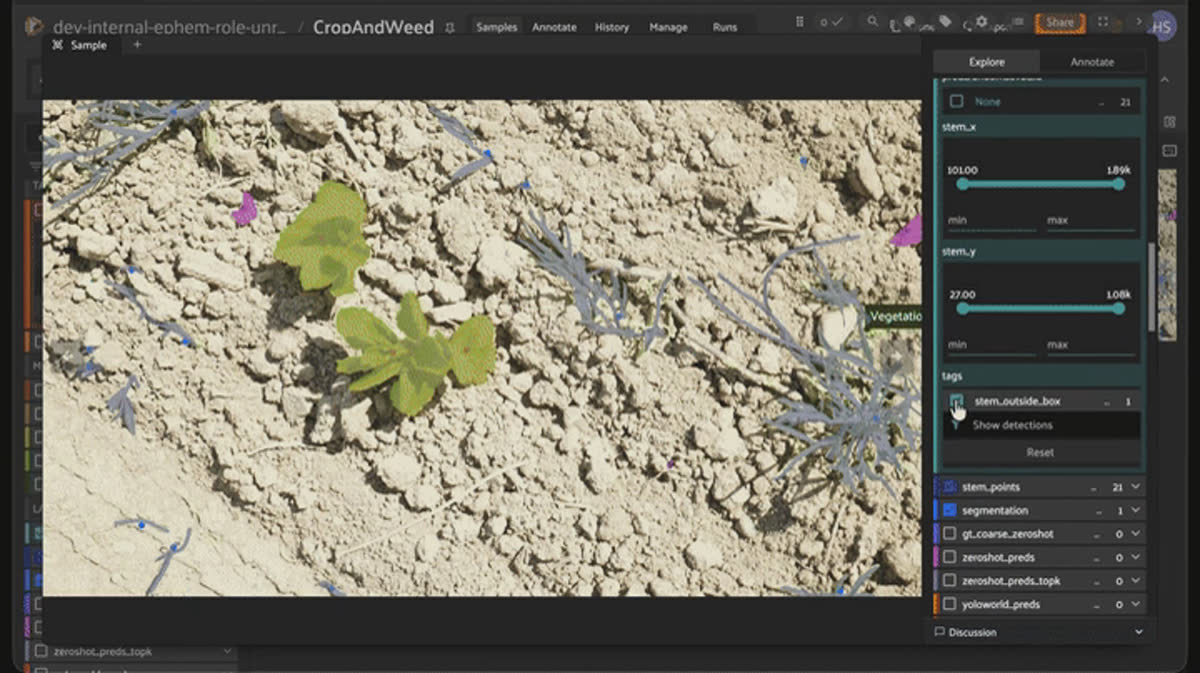
Fixing a mislabeled stem point live in the FiftyOne App's in-app annotation editor by dragging it inside the plant's bounding box.
Step 6: Export a Curated Set That Didn't Exist Before
No train/val/test split ships with
CropAndWeed's raw annotation release, and 234 of the 8,034 images (2.9%) have a segmentation mask but zero ground_truth detections — meaning a naive "just train a detector on everything" approach would silently include images with nothing to detect. Tag the quality-checked, deduplication-aware subset, filter to it, and export — that's the moment the whole exploration turns into something you could actually retrain on, and it's also the first split this dataset has ever had, because nobody shipped one.Step 7: Mining a Rare Class That's Already Hiding in Plain Sight
Black nightshade has 14 instances across 9 images in CropAndWeed (a real rare class). I treated it like an unlabeled pool: pretend I only know about one image that contains it, then try to find the rest using embedding search.import fiftyone.brain as fob
from fiftyone import ViewField as F
seed_view = dataset.filter_labels("ground_truth", F("label") == "Black nightshade")
seed_id = sorted(seed_view.values("id"))[0]
fob.compute_similarity(dataset, model="clip-vit-base32-torch", brain_key="clip_sim")
results = dataset.sort_by_similarity(seed_id, k=200, brain_key="clip_sim")Keep it honest. Zero of 8 held-out true positives recovered, even in the top 200. I tried to explain it away as a CLIP problem — so I re-ran the same search with Qwen3-VL-Embedding-2B, seeded with plain-language text instead of an image (five phrasings, including the scientific name Solanum nigrum). Zero, every time. Then I checked whether an entirely unsupervised approach — CRADIOv4's and Qwen3-VL's own representativeness and uniqueness scores, no seed of any kind — flagged it as an outlier. Also zero.
Three foundation models, three different query mechanisms, all zero. That's not bad luck — a whole-image embedding represents the *scene*, not the one small plant sitting among 37 other detections in the frame.
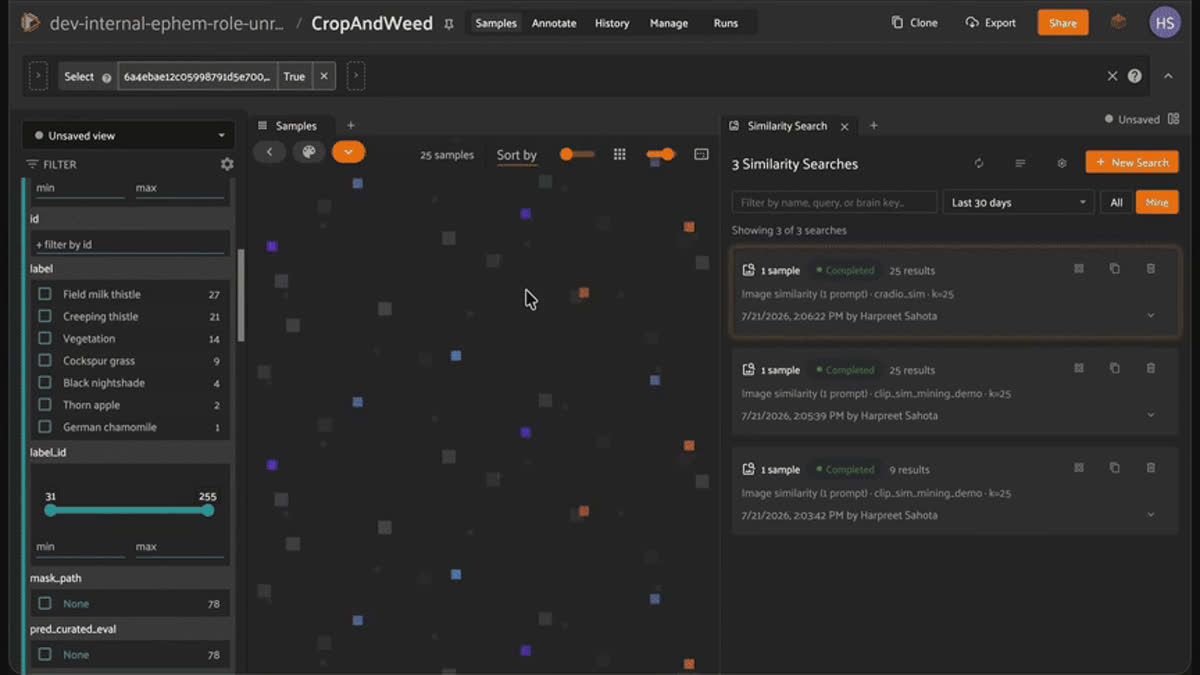
Whole-image embedding similarity searches in FiftyOne failing to recover held-out Black nightshade samples across CLIP and CRADIOv4 embeddings.
Step 8: Going to the Patch Level — the Fix, and Its Honest Ceiling
The fix is architectural, not a better prompt: embed individual plant crops instead of whole images.
fob.compute_similarity(
    pool, patches_field="ground_truth",
    model="clip-vit-base32-torch", brain_key="clip_patch_sim",
)
patches_view = pool.to_patches("ground_truth")
results = patches_view.sort_by_similarity(seed_patch_id, k=200, brain_key="clip_patch_sim")
2 of 8 held-out positives recovered in the top-200 — a real ~15x enrichment over the ~0.13 expected by chance. Adding two more seed patches (three total) recovers 2 of the remaining 6. That's a genuine improvement, and a genuine ceiling in the same breath: a handful of seeds can't cover every visual mode of a rare species — growth stage, lighting, occlusion — which is exactly why a real mining funnel needs "confirm" and "verify coverage" as their own steps, not an afterthought.
A Second Foundation Model (CRADIOv4), and a Heatmap Diagnostic
While I had embeddings loaded, I also brought in NVIDIA's CRADIOv4-H, a vision foundation model distilled from three teachers (SigLIP2, DINOv3, SAM3) that ships a
spatial output mode FiftyOne renders as a Heatmap — a live, qualitative check of whether a model's attention agrees with where a human actually drew a box.import fiftyone.zoo as foz
foz.register_zoo_model_source("https://github.com/harpreetsahota204/CRADIOv4")
model = foz.load_zoo_model("nv_labs/c-radio_v4-h", output_type="spatial")
dataset.apply_model(model, label_field="cradio_heatmap")Good to know. CRADIOv4-H embeddings are 2560-dim; Qwen3-VL-Embedding-2B embeddings are 2048-dim. Computing embeddings, similarity, uniqueness, representativeness, a 3D UMAP visualization, and — for CRADIOv4 — a spatial heatmap, across all 8,034 images for both models, is roughly 53 minutes combined on a GPU. A one-time cost, not something you'd want to wait on interactively.
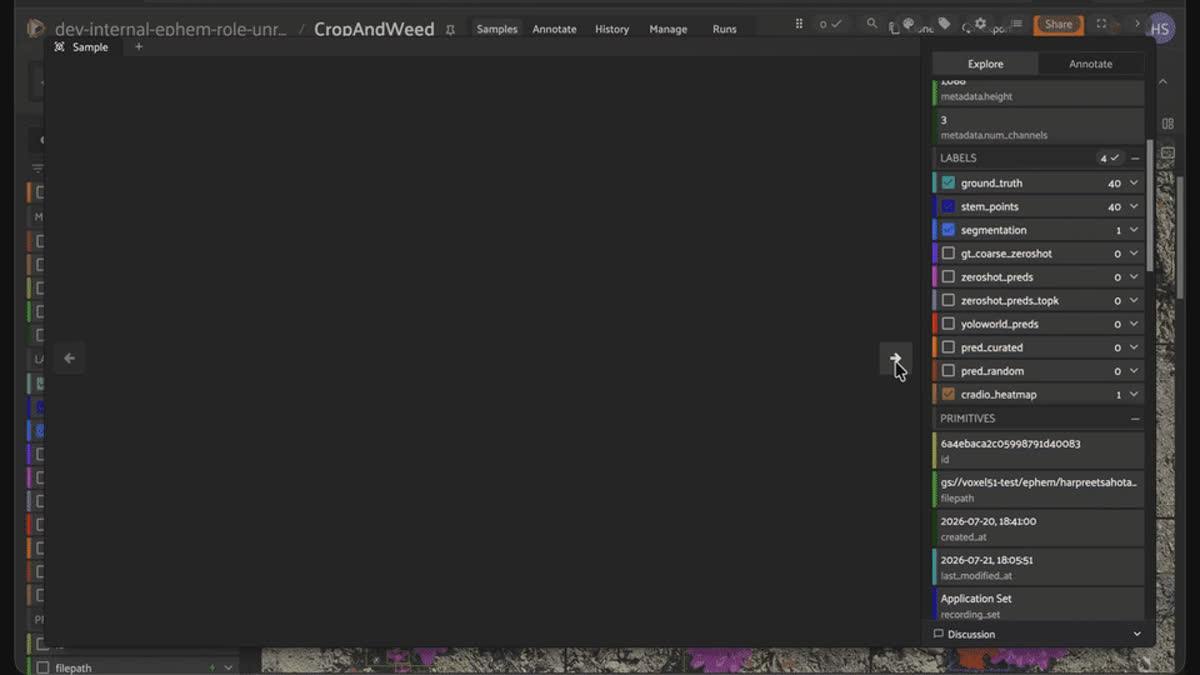
NVIDIA CRADIOv4-H rendered as a spatial heatmap in FiftyOne, showing where the foundation model concentrates attention on a plant instance.
Step 10: Area — the Signal That Was Free All Along
Before spending any embedding compute at all, there's a nearly-free signal sitting in the boxes I already had: size.
bbox_area_expr = (
    F("$metadata.width") * F("bounding_box")[2] *
    F("$metadata.height") * F("bounding_box")[3]
)
dataset.set_field("ground_truth.detections.bbox_area_px", bbox_area_expr).save()
The 23 known out-of-bounds stem-point defects from Step 4 have a mean
bbox_area_px of 1,423.9 px² — roughly 10x smaller than the dataset-wide mean of 13,681.3 px². Small area is a real, cheap proxy for "this label probably deserves a second look," and it costs nothing beyond a field I'd already computed.Step 11: The Free Signal That Wasn't as Free as It Looked
Black nightshade is 8 of its 9 samples in the Experimental Set — the plots the dataset's authors cultivated specifically to enrich rare species. Tempting rule: check the enrichment set first when hunting rare classes.Keep it honest. Checked across all 19 classes with 40 or fewer instances: only 6 actually skew toward Experimental Set. Thirteen skew the *other* direction. Generalizing a triage rule from the one example that happened to fit the story would have meant telling you something wrong.
Step 12: Building an Actual Triage Queue — and Correcting a Second Assumption
I expected CRADIOv4's and Qwen3-VL's representativeness and uniqueness scores to flag rare-species candidates the way the mining funnel was supposed to. Checked directly against the real
Black nightshade samples: zero overlap.What the "outlier" tier actually contains, inspected directly, is images with an unusually high density of common classes —
Meadow-grass shows up 96 times across just 17 images. Busy, cluttered scenes, not rare-species scenes — a real, useful signal (plausibly the hardest images to annotate correctly), just not the one I went looking for.Combined with bounding-box area, that becomes a real, tag-based annotation-triage queue:
tier1_ids = cross_model_outlier_ids & (small_bbox_area_ids | sparse_detection_ids)
dataset.select(list(tier1_ids)).tag_samples("triage_tier_1")
17 images land in tier 1 (review first), 8,001 at normal priority, 16 safe to skip.
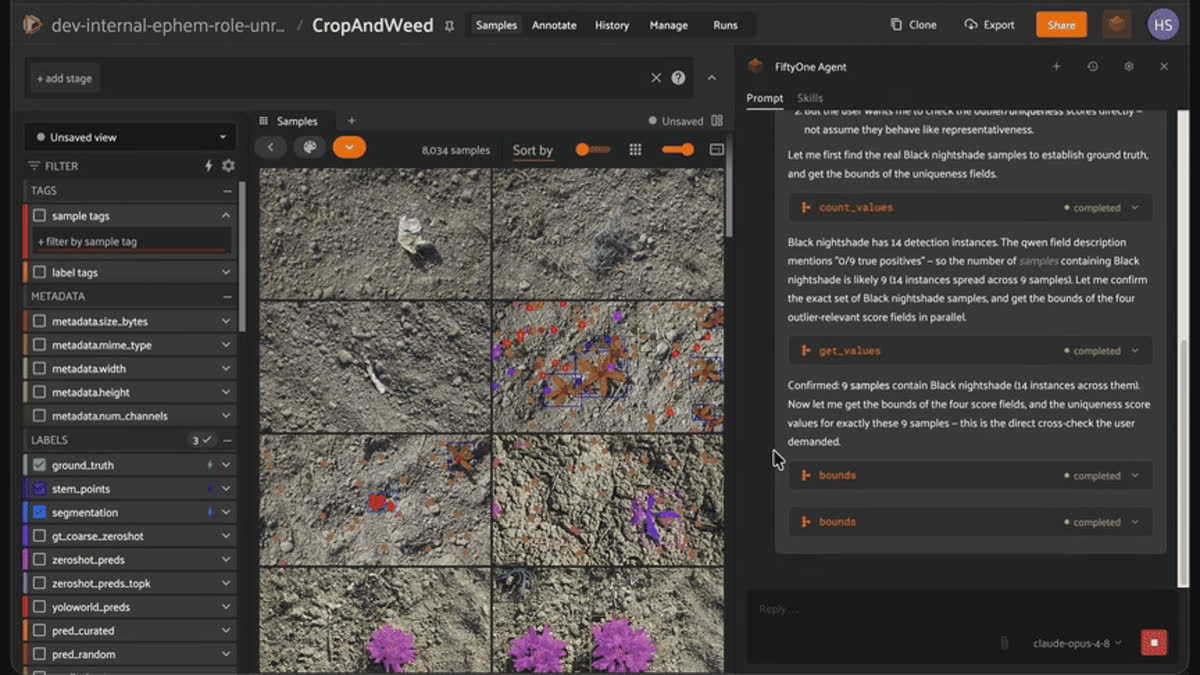
The Voxel51 Agent cross-checking outlier and uniqueness scores against real Black nightshade samples while building an annotation triage queue.
Try It Yourself
- `agentic_annotation` on GitHub (https://github.com/harpreetsahota204/agentic_annotation) — the full, runnable code for everything in this post: every script referenced here, the rare-class mining funnel end to end, and the triage-queue builder. Start there if you want to run this yourself rather than just read about it.
- `Voxel51/CropAndWeed` on Hugging Face (https://huggingface.co/datasets/Voxel51/CropAndWeed) — the exact dataset used in this post
- CropAndWeed dataset repository (https://github.com/cropandweed/cropandweed-dataset) — the original annotation release and label-remapping scripts
- Steininger, D., Trondl, A., Croonen, G., Simon, J., & Widhalm, V. (2023). *The CropAndWeed Dataset: A Multi-Modal Learning Approach for Efficient Crop and Weed Manipulation.* WACV 2023.
- CRADIOv4 (https://github.com/harpreetsahota204/CRADIOv4) — the FiftyOne zoo model source used for embeddings and spatial heatmaps in steps 7-12
- Qwen3-VL-Embedding-2B model card (https://docs.voxel51.com/model_zoo/models/qwen3_vl_embedding_2b_torch.html) — the text-and-image embedding model used alongside CRADIOv4
- FiftyOne (https://github.com/voxel51/fiftyone) —
pip install -U fiftyone scripts/dataset_facts.py— the verification script behind every number in steps 1-6scripts/rare_class_mining.py,rare_class_mining_patches.py,rare_class_mining_multiseed.py,compute_foundation_embeddings.py,compute_areas.py,recording_set_signal.py,build_triage_queue.py— the scripts behind every number in steps 7-12
Frequently Asked Questions
No. It's label_id 255, the dataset's explicit fallback class for plant instances too small (under roughly 16x16 pixels), too ambiguous, or otherwise excluded from fine-grained species classification. It's the most common label in ground_truth.detections.label (33,000 instances) precisely because it's a catch-all, not because one species dominates the field.
No. The 370 degenerate boxes and 23 out-of-bounds stem points were found with a pure geometric check against bounding_box, stem_x, and stem_y — fields that already exist on every Detection. No inference, no predictions, no model of any kind was involved.
No. image_id is a 4-digit counter that resets to 0000 at the start of every recording session, so its repetition across the dataset (hundreds of times for values like 0002 or 0004) reflects the filename convention, not duplicate content. (recording_set, session) combined with fiftyone.brain.compute_uniqueness is the right way to check for visual similarity — note that session alone also isn't globally unique, since both recording sets reuse the same session-ID strings.
No. It's released under a custom non-commercial research license — academic research, teaching, and personal experimentation only. Redistributing the dataset itself isn't permitted either; derivative works, such as trained model weights, are.
The full script behind this post — schema summary, session/capture-density stats, class-imbalance counts, the geometric QA checks, and a real fiftyone.brain.compute_uniqueness run over all 8,034 images — finishes in under 35 seconds on a GPU machine.
Not reliably. Across CLIP, Qwen3-VL-Embedding-2B, and CRADIOv4 — image-seeded search, text-prompt search, and unsupervised outlier detection — zero of eight held-out Black nightshade samples were recovered. A whole-image embedding represents the scene, not a single small instance within it. Patch-level embedding search (embedding each detection crop individually) is the fix, and it comes with a real ceiling of its own: a handful of seed patches can't cover every visual mode of a rare species.
Yes. The in-App annotation editor lets you drag a mislabeled stem point back inside its bounding box, resize a detection, add an instance mask with a single positive click, and edit primitives like moisture or lighting from a dropdown — all in the sample view, no notebook required.
Hacker-in-Residence
Harpreet is Hacker-in-Residence at Voxel51, where he turns cutting-edge AI ideas into open-source prototypes and demos that push the boundaries of deep learning. From building tools that inspire to creating content that educates, Harpreet helps the AI community level up—one wild idea at a time.
See all articles by Harpreet Sahota
Try Voxel51 for yourself
Loading related posts...
© 2026 Voxel51 All Rights Reserved


