Describe It, Find It: Natural-Language Video Search in FiftyOne with TwelveLabs
Author

Chief Community Officer
Jimmy is the Chief Community Officer at Voxel51, where he leads developer relations and growth. With 25+ years of experience connecting developers and enterprises to cutting-edge ML and open-source solutions, Jimmy drives impactful content, events, and education that fuel awareness, adoption, and community engagement.
See all articles by Jimmy Guerrero
In this article
Talk to an AI expert
Video is the hardest data to work with and the easiest to ignore. It's heavy, it's unlabeled, and most teams have no good way to ask, "show me the clips where X happens." Natural-language video search fixes that, and the new TwelveLabs integration for FiftyOne brings it right into the tool you already use to curate datasets. You can now embed, search, and caption video by describing it in plain English. No GPU required.
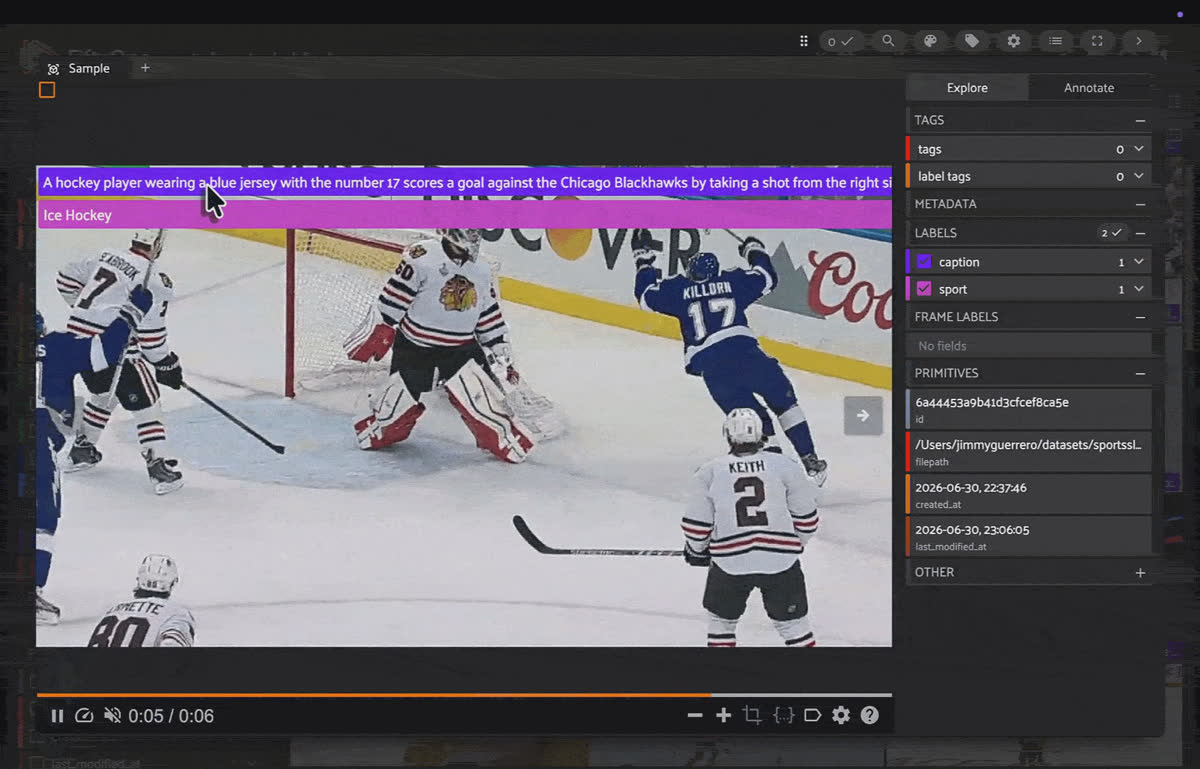
Searching and exploring video by description in the FiftyOne App, powered by the TwelveLabs integration.
TwelveLabs: Models That Understand Video
TwelveLabs builds video foundation models that actually understand what's in a video — motion, actions, scenes — not just isolated frames. Two models do the heavy lifting:
- Marengo turns a video into a 512-dimensional embedding that lives in the same space as text. That shared space is the magic: a plain-English sentence and a video clip become directly comparable, so you can search footage by describing it.
- Pegasus generates natural-language descriptions of a video and answers questions about it — captioning and visual Q&A, zero-shot.
Both run server-side through the TwelveLabs API, so the compute happens in the cloud and you don't need local GPUs.
FiftyOne: Curate and Visualize Video Data
FiftyOne is the open-source toolkit for building better datasets and models for visual AI. It gives you a fast, visual App to explore images and video, a powerful query language to slice your data into views, and a "Brain" layer for embeddings, similarity, uniqueness, and mistake-finding. It's where practitioners go to understand their data — curate it, find the duplicates and outliers, and figure out where a model is failing.
FiftyOne's whole philosophy is that better data beats more data. The catch has always been that video is the hardest modality to inspect at scale. That's exactly the gap this integration fills.
What the FiftyOne + TwelveLabs Integration Unlocks
Drop a TwelveLabs model into FiftyOne and your video dataset becomes searchable, describable, and explorable:
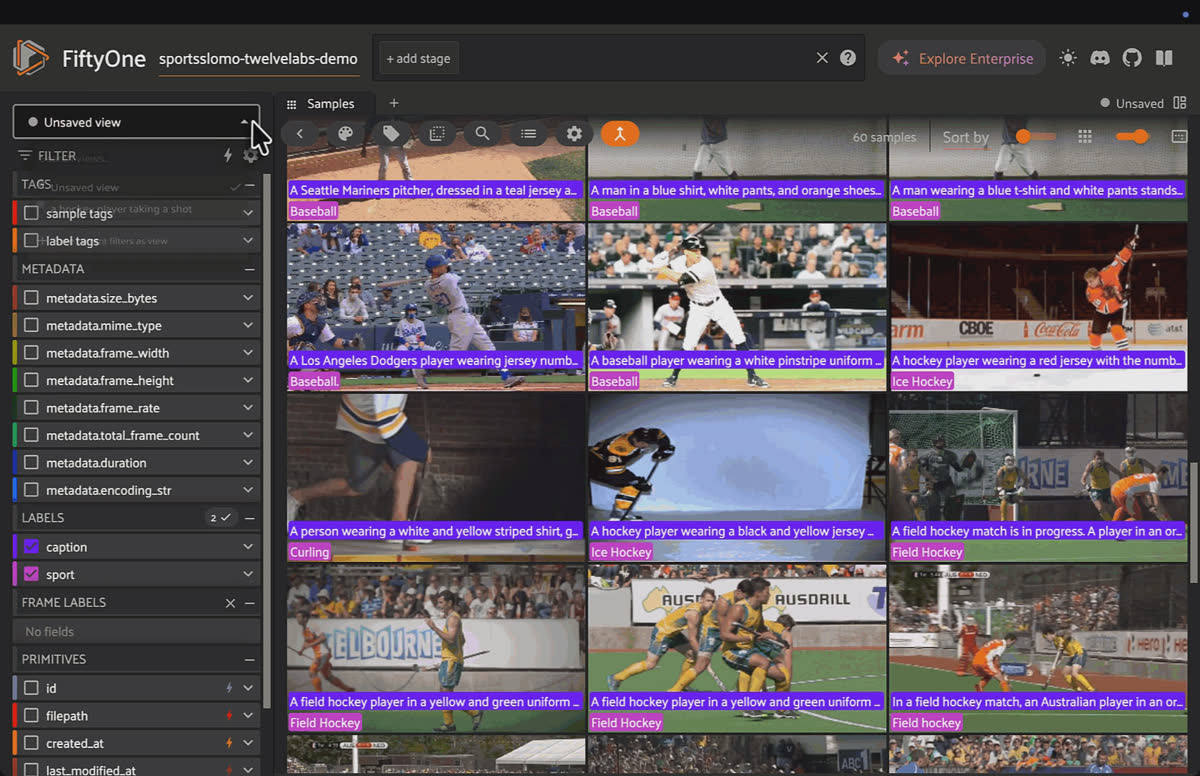
A few lines of Python: embed with Marengo, sort by a plain-English query, and save the result as a named view.
Natural-language video search. Embed clips with Marengo, then rank them by a typed description — "a hockey player taking a shot" — with no tags or training.
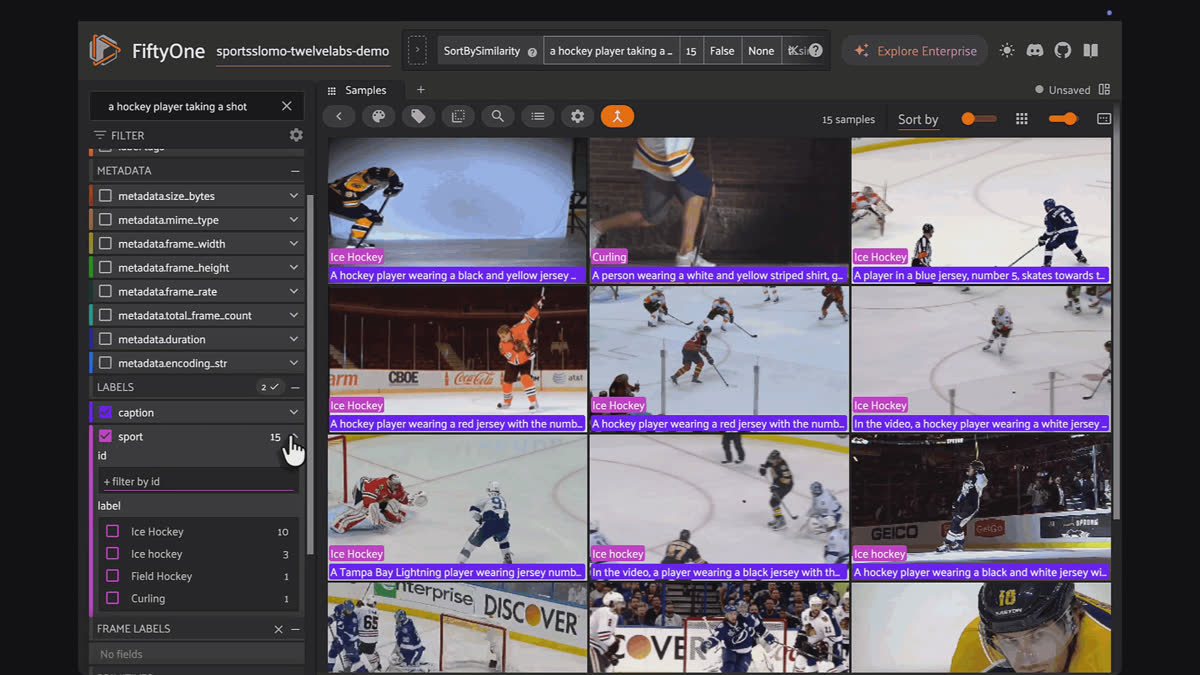
Type a description and watch clips rerank by relevance, with no tags or training.
Zero-shot captioning and Q&A. Run Pegasus to auto-caption every clip, or ask a structured question ("What sport is this?") to generate labels on demand.
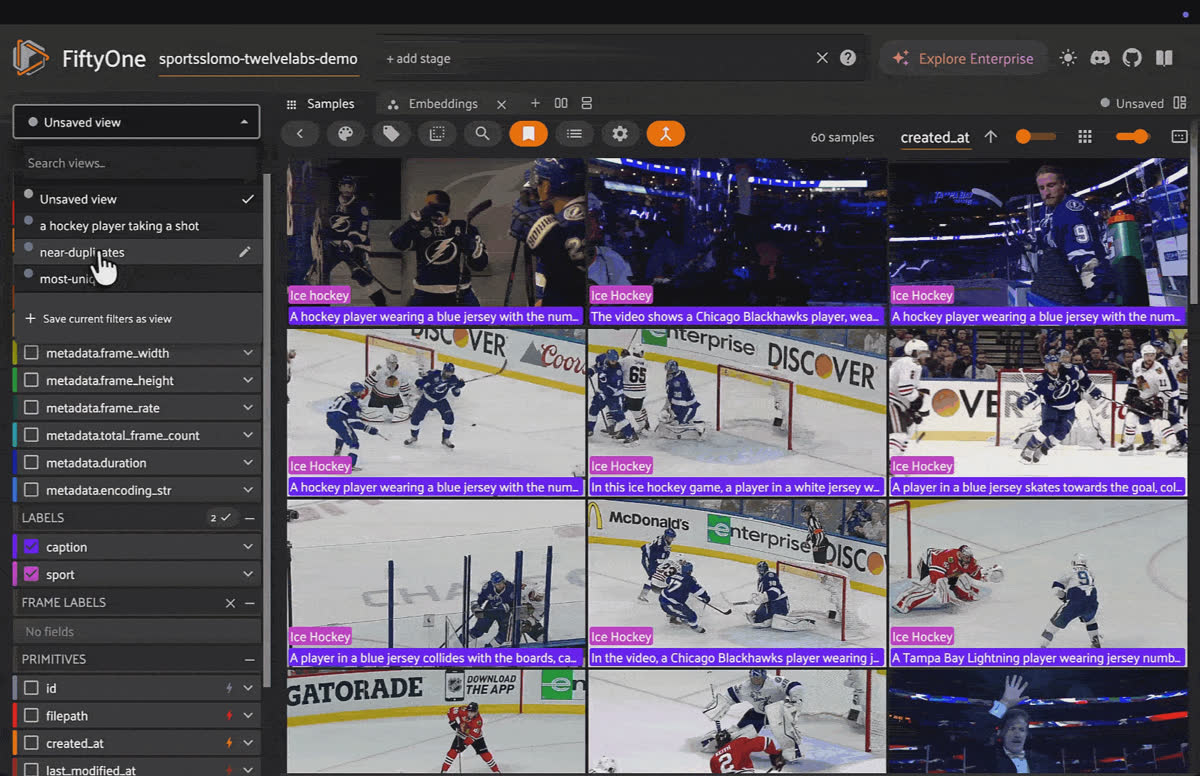
Pegasus captions every clip and answers questions like "what sport is this?" to label footage on demand.
Similarity and curation. This is where the embeddings really earn their keep. Pick a clip and instantly find more like it. Surface near-duplicates — the redundant, near-identical footage that quietly bloats a dataset — and cut it. Then score every clip for uniqueness and rank by it, so the most distinctive footage rises to the top and you can mine a diverse, balanced set in a few clicks. All of it reuses the same Marengo embeddings you already computed, powered by FiftyOne Brain — no extra models, no manual review.
Pick a clip and use FiftyOne Brain to find more like it, surface near-duplicates, and mine a diverse set.
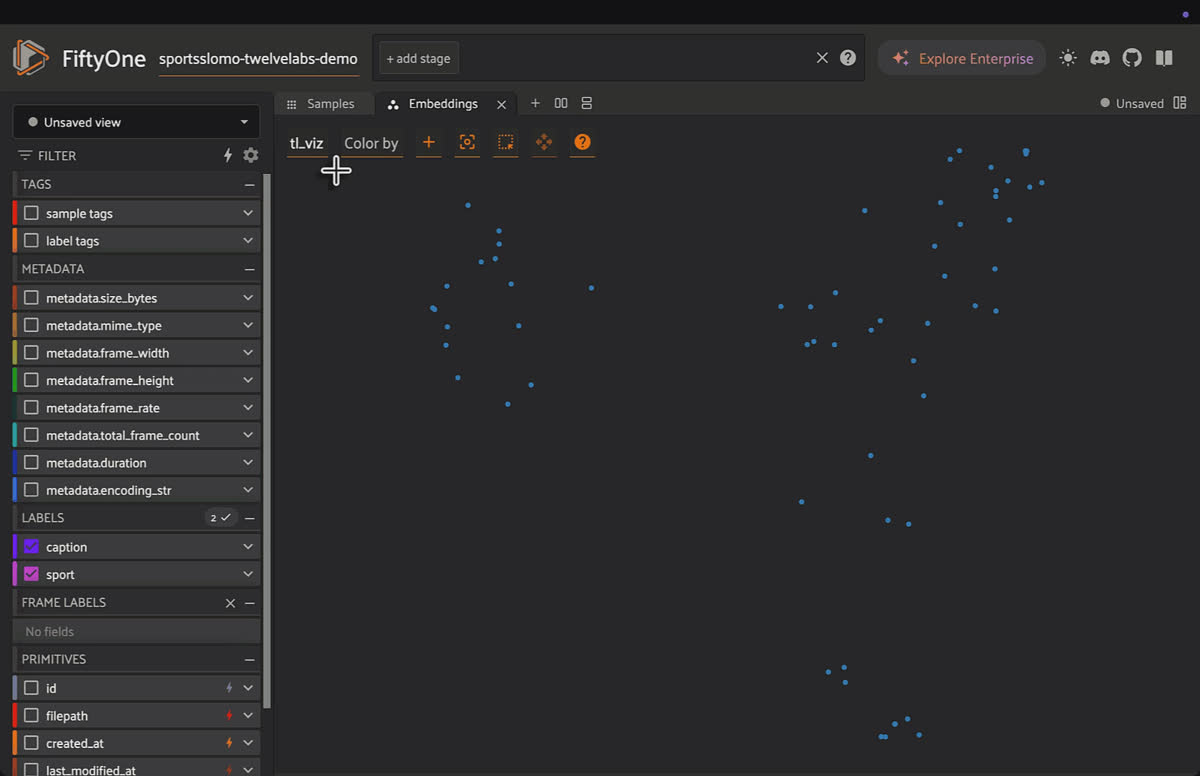
Embedding visualizations. Project your video embeddings into an interactive 2D map and watch clips cluster by content.
Scale without infrastructure. It's all API-side — the same workflow runs on 60 clips or 60,000, on a laptop.
Inside the Demo Notebook: Video Search on Real Sports Clips
The companion notebook runs the whole loop on SportsSloMo, a dataset of real sports clips:
- Build a dataset from local video and embed every clip with Marengo.
- Search in plain English — type a description, watch the clips reorder by relevance, and save your best queries as named views you can flip through in the App.
- Find more like this — select a clip and run visual similarity to expand your set.
- Auto-label with Pegasus — caption each clip, then ask "what sport is this?" to turn raw footage into a labeled dataset.
- Curate with FiftyOne Brain — surface near-duplicates and rank clips by uniqueness to carve a clean, diverse subset out of raw footage, no manual review.
- Map the embeddings — open the visualization panel and explore the clusters.
Next steps
- Get the integration — explore the FiftyOne docs and Model Zoo at docs.voxel51.com.
- Get a TwelveLabs API key — free tier at playground.twelvelabs.io.
- Try FiftyOne —
pip install fiftyoneand start with the getting started guide. - Run the notebook — point it at your own video folder and search your footage in plain English.
Frequently Asked Questions
What is natural-language video search?
It's the ability to retrieve video clips by describing what happens in them, instead of relying on tags, filenames, or manual labels. With the TwelveLabs integration, you type a description like "a hockey player taking a shot" and FiftyOne ranks your clips by how well they match.
What is the TwelveLabs integration for FiftyOne?
It connects TwelveLabs video foundation models to FiftyOne so you can embed, search, caption, and explore video datasets with natural language, directly inside the FiftyOne App you already use for data curation.
Do I need a GPU to use it?
No. Both TwelveLabs models run server-side through the TwelveLabs API, so the compute happens in the cloud. The same workflow runs on 60 clips or 60,000, on a laptop.
What are Marengo and Pegasus?
Marengo turns a video into a 512-dimensional embedding that lives in the same space as text, which is what makes searching footage by description possible. Pegasus generates natural-language descriptions of a video and answers questions about it, enabling zero-shot captioning and visual Q&A.
What can I do with the integration?
Four things: natural-language video search with Marengo, zero-shot captioning and Q&A with Pegasus, similarity and curation to find near-duplicates and mine a diverse set using FiftyOne Brain, and embedding visualizations that project your clips into an interactive 2D map.
How do I get started?
Explore the FiftyOne docs and Model Zoo at docs.voxel51.com, grab a free-tier TwelveLabs API key at playground.twelvelabs.io,
pip install fiftyone, then run the companion notebook against your own video folder.Sources
Chief Community Officer
Jimmy is the Chief Community Officer at Voxel51, where he leads developer relations and growth. With 25+ years of experience connecting developers and enterprises to cutting-edge ML and open-source solutions, Jimmy drives impactful content, events, and education that fuel awareness, adoption, and community engagement.
See all articles by Jimmy Guerrero
Talk to an AI expert
Loading related posts...
© 2026 Voxel51 All Rights Reserved


