Segment-Level Embeddings: Finding the Moment Inside the Recording
Author

Senior Software Engineer
Kacey is a Senior Software Engineer with Voxel51.
See all articles by Kacey Wang
In this article
Try Voxel51 for yourself
Embeddings make it possible to search large datasets by meaning rather than relying on labels or metadata. But for multimodal time-series data, there is an important question: what exactly should you embed?
A robot demonstration, driving log, or other physical AI recording might run for several minutes while the behavior you care about lasts only a few seconds. A gripper slips. A pedestrian enters the road. A forklift crosses the robot’s path.
If the entire recording is represented by a single embedding, those short but important moments can disappear inside the representation of everything else that happened.
Segment-level embeddings in Voxel51 let you embed and search shorter intervals within an episode, so you can retrieve the specific moments that match a query instead of searching only at the recording level.
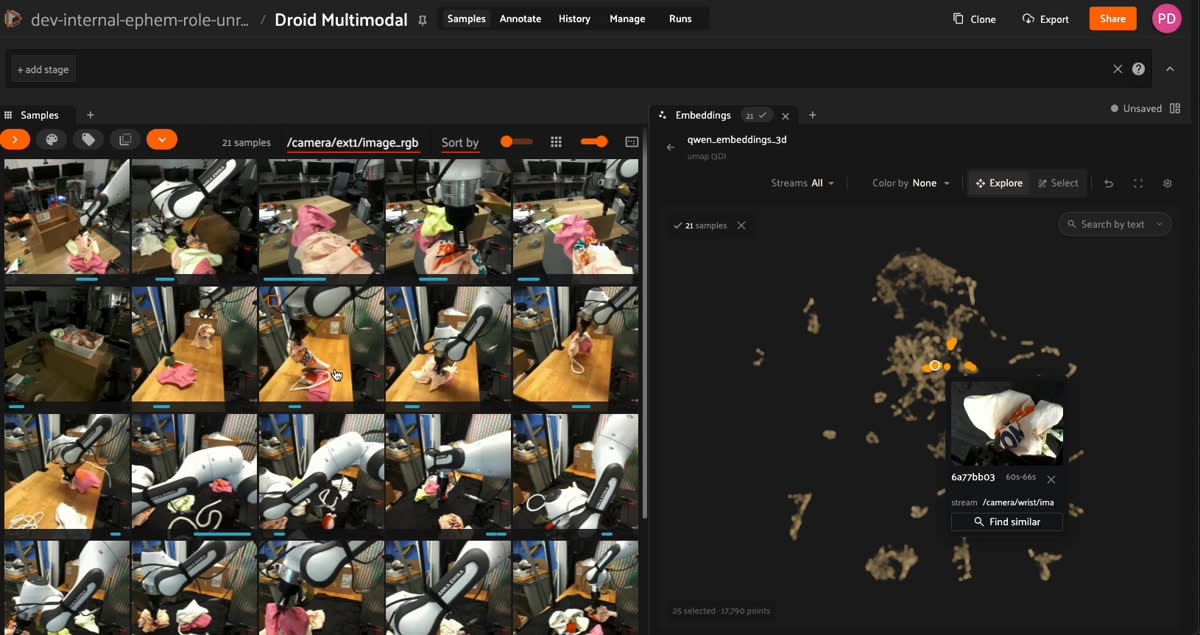
Clicking a point in the Voxel51 embedding space and selecting "Find Similar" instantly surfaces visually and semantically related robot manipulation segments.
Key takeaways
- Segment-level embeddings represent short temporal intervals within an episode instead of compressing an entire recording into one vector.
- Episode-level embeddings dilute brief events, such as a 10-second pedestrian crossing inside a 30-minute driving log.
- Segment-level embeddings in Voxel51 map natural language and similarity queries back to precise time intervals inside each episode.
- Segment-level representations place similar behaviors near one another in embedding space, even across different episodes.
Why episode-level embeddings aren’t enough
Episode-level embeddings are useful when the episode itself is the right unit of comparison. You might want to find similar demonstrations or identify recordings with broadly similar content.
But many physical AI workflows operate at a much finer level.
Consider a 5-minute demonstration containing a 20-second clip of the robot folding clothes. Representing the entire recording with one vector compresses the folding sequence, setup, repositioning, idle time, and every other action into the same embedding.
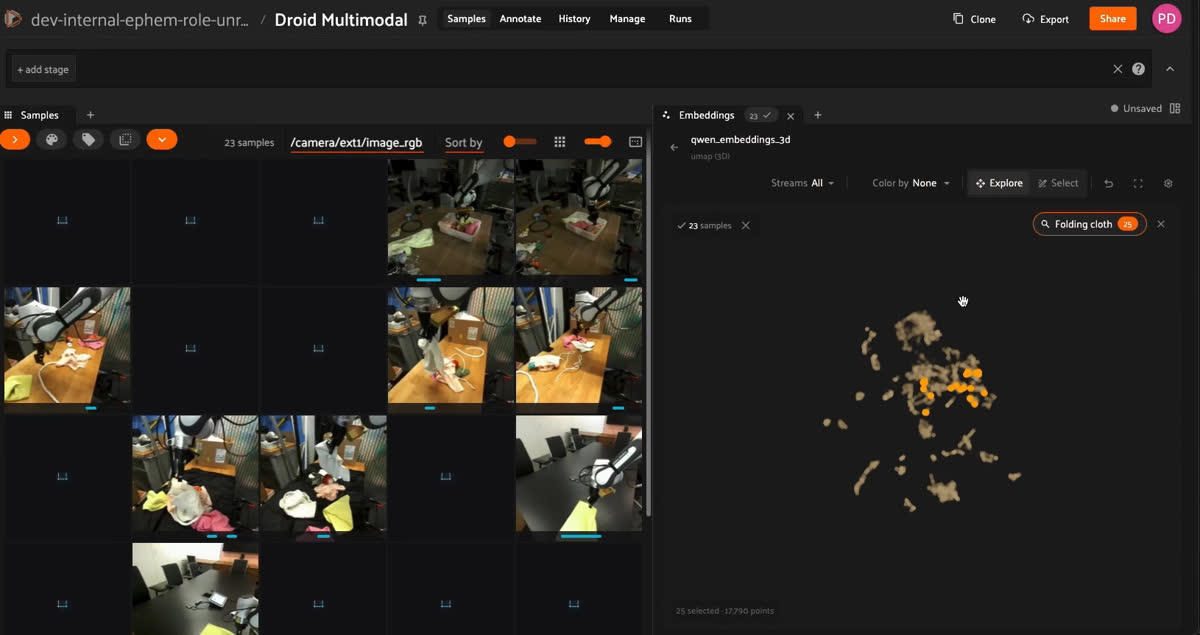
Similarity search by text using segment-level embeddings n Voxel51
The recording may still be retrieved as relevant, but the embedding cannot tell you where inside the episode the match occurred.
For behavioral search, failure analysis, and dataset curation, that distinction matters. The useful training data is often not the whole recording. It is the specific segment where something happened.
Comparing episode-level and segment-level embeddings for physical AI data
| Episode-level embeddings | Segment-level embeddings | |
|---|---|---|
| What gets embedded | An entire recording or episode | A shorter temporal interval within an episode |
| Best for | Finding broadly similar recordings | Finding specific behaviors, events, or moments |
| Search result | A matching episode | The matching segment inside an episode |
| Temporal precision | Low | High |
| Example query | “Find episodes similar to this one” | “Find moments where the gripper slips” |
| Main limitation | Short events can get diluted by the rest of the recording | Requires more granular embedding and indexing |
| Typical workflow | Retrieve a file, then inspect it | Retrieve the relevant moment and jump directly to it |
Search within episodes with Voxel51’s segment-level embeddings
Segment-level representations create a more useful embedding space for time-series data.
Voxel51 can compute embeddings over short time windows within each sensor stream. Instead of every recording appearing as a single point, individual segments can be compared based on what happens within them. Similar behaviors naturally appear near one another in embedding space, even when they come from different episodes.
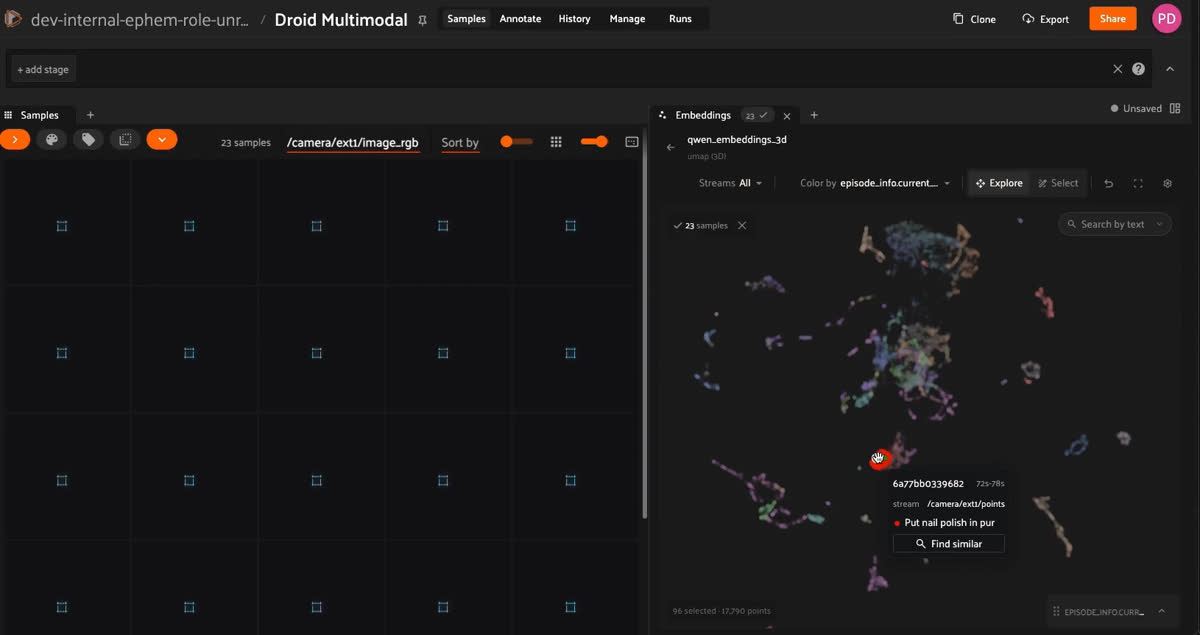
Compute embeddings within different sensor streams in Voxel51
Segment-level embeddings are fully configurable. Choose the model used to compute embeddings, from video models like Qwen to image models like DINOv3, and aggregate representations across time when needed.
You can also control which data streams are embedded. For example, embed only wrist-camera footage while excluding external cameras, depending on which views matter for the task.
You can also define the segment duration itself. Use shorter windows for fine-grained actions or longer windows to capture higher-level, long-horizon behaviors.
For example, a similarity search or natural-language query such as pedestrian crossing can retrieve the relevant segments across a dataset and take you directly to the corresponding moments inside each episode.
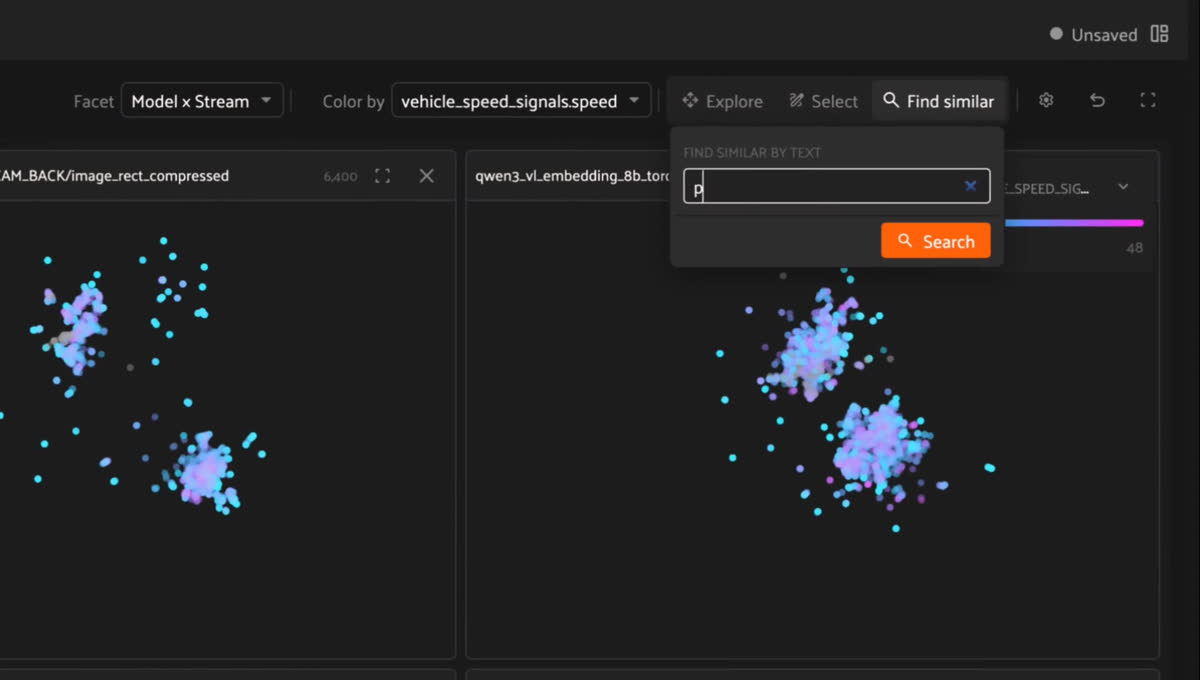
Natural language search over segment-level embeddings retrieves matching segments within long, multimodal episodes.
This makes embeddings useful not just for finding relevant recordings, but for finding relevant moments within them.
The result is a much tighter loop between search and inspection: discover an interesting pattern across the dataset, then jump directly into the underlying multimodal data to understand what produced it.
Apply embeddings at the right level of your data
There is no single correct unit for embedding a physical AI dataset.
Sometimes you want to compare complete episodes. Other workflows depend on individual images, objects, point clouds, or short temporal segments. The useful representation depends on the question you are trying to answer.
Voxel51 supports embeddings across these different levels of your data, allowing teams to choose the granularity that matches the workflow.
With segment-level embeddings, that granularity can now extend inside an episode—making it possible to search across long multimodal recordings without treating every recording as an indivisible unit.
FAQ
Segment-level embeddings are vector representations of short temporal intervals within a recording, letting you search for specific moments rather than whole episodes.
Episode-level embeddings represent an entire recording with one vector and are best for finding broadly similar episodes, while segment-level embeddings represent short intervals and retrieve specific behaviors, events, or moments.
Voxel51 computes embeddings over short sampled windows within each sensor stream, keys every vector to its episode, stream, and time range, and maps query matches back to precise intervals in the recording.
Use them when the behavior you care about is much shorter than the recording, such as failure analysis, behavioral search, and curating brief events inside long robot or driving logs.
Senior Software Engineer
Kacey is a Senior Software Engineer with Voxel51.
See all articles by Kacey Wang
Try Voxel51 for yourself
Loading related posts...
© 2026 Voxel51 All Rights Reserved


