Eight Sensors, One Dataset, Zero Blind Spots: Exploring OctoSense with FiftyOne
Author

Chief Community Officer
Jimmy is the Chief Community Officer at Voxel51, where he leads developer relations and growth. With 25+ years of experience connecting developers and enterprises to cutting-edge ML and open-source solutions, Jimmy drives impactful content, events, and education that fuel awareness, adoption, and community engagement.
See all articles by Jimmy Guerrero
In this article
Meet OctoSense: A Robot's-Eye View of the WorldKey TakeawaysMeet FiftyOne: X-Ray Vision for Your DatasetWhy OctoSense + FiftyOne = ❤️Demo: From Rosbags to a Browsable DatasetShow Me, Don't Tell Me: Search, Cluster, and Curate OctoSenseReading Motion Straight Off the PixelsWhere to Go NextQuestions? We have answers.
In this article
Meet OctoSense: A Robot's-Eye View of the WorldKey TakeawaysMeet FiftyOne: X-Ray Vision for Your DatasetWhy OctoSense + FiftyOne = ❤️Demo: From Rosbags to a Browsable DatasetShow Me, Don't Tell Me: Search, Cluster, and Curate OctoSenseReading Motion Straight Off the PixelsWhere to Go NextQuestions? We have answers.
Try Voxel51 for yourself
Robotics data is famously hard to look at. It arrives as rosbags full of LiDAR sweeps, event streams, IMU traces, and video — time-synced, multi-gigabyte, and allergic to a simple image viewer. So most teams fly blind, training on data they've never actually inspected. Let's fix that.
Meet OctoSense: A Robot's-Eye View of the World
OctoSense is a beast of a multimodal dataset — hundreds of time-synchronized driving sequences captured across cars, quadrupeds, and marine platforms. Every sequence bundles stereo RGB, stereo event cameras, infrared, a 64-beam LiDAR, IMU, GPS, and CAN-bus data, all locked to a single PPS-synchronized clock. On top of the raw sensors it ships ground truth for depth, semantic segmentation, optical flow, odometry, and scene captions.
In short: it's one of the richest open sensor suites you can get your hands on — and a perfect stress test for any data tool that claims to handle "multimodal."
| Layer | What it captures | Why it matters in FiftyOne |
|---|---|---|
| Stereo RGB frame | Standard forward-facing color video | Base frame that every label aligns to |
| LiDAR depth (GT) | 64-beam range rendered as a depth map | Shown as a heatmap to hunt holes and blooming artifacts |
| Semantic segmentation (GT) | Cityscapes-19 class masks | Side-by-side label QA |
| Optical flow (GT) | Ego-motion flow, derived at ingest | Reads forward motion straight off the pixels |
| Scene captions | Vision-language descriptions | Powers caption-embedding search |
| Per-frame metadata | Speed, turn rate, day/night, sensor dropout, GPS | Filter and slice frames by driving conditions |
Key Takeaways
- OctoSense is a multimodal robotics dataset of hundreds of time-synchronized driving sequences across cars, quadrupeds, and marine platforms, bundling stereo RGB, stereo event cameras, infrared, 64-beam LiDAR, IMU, GPS, and CAN-bus data on a single PPS-synchronized clock.
- It ships ground truth for depth, semantic segmentation, optical flow, odometry, and scene captions.
- FiftyOne turns the raw sensor archive into a single browsable, filterable, and searchable dataset, so you can QA labels, cluster scenes, and curate slices across every sequence at once.
- Because OctoSense renders all ground truth into the rectified left-camera frame, one FiftyOne sample holds a frame with every label pixel-perfectly aligned to it.
- The demo builds two search indexes: a CLIP index over pixels for natural-language visual search, plus OctoSense's precomputed caption embeddings for description-based search.
- Stacking depth, segmentation, and flow on one frame surfaces label errors, and toggling ego-motion optical flow alone makes the car's forward motion visible as a radial magnitude gradient.
Meet FiftyOne: X-Ray Vision for Your Dataset
FiftyOne is the open-source toolkit for curating and understanding visual datasets. It gives you a fast, filterable App to browse samples, overlay labels, cluster embeddings, search by natural language, and slice your data by any field you can dream up.
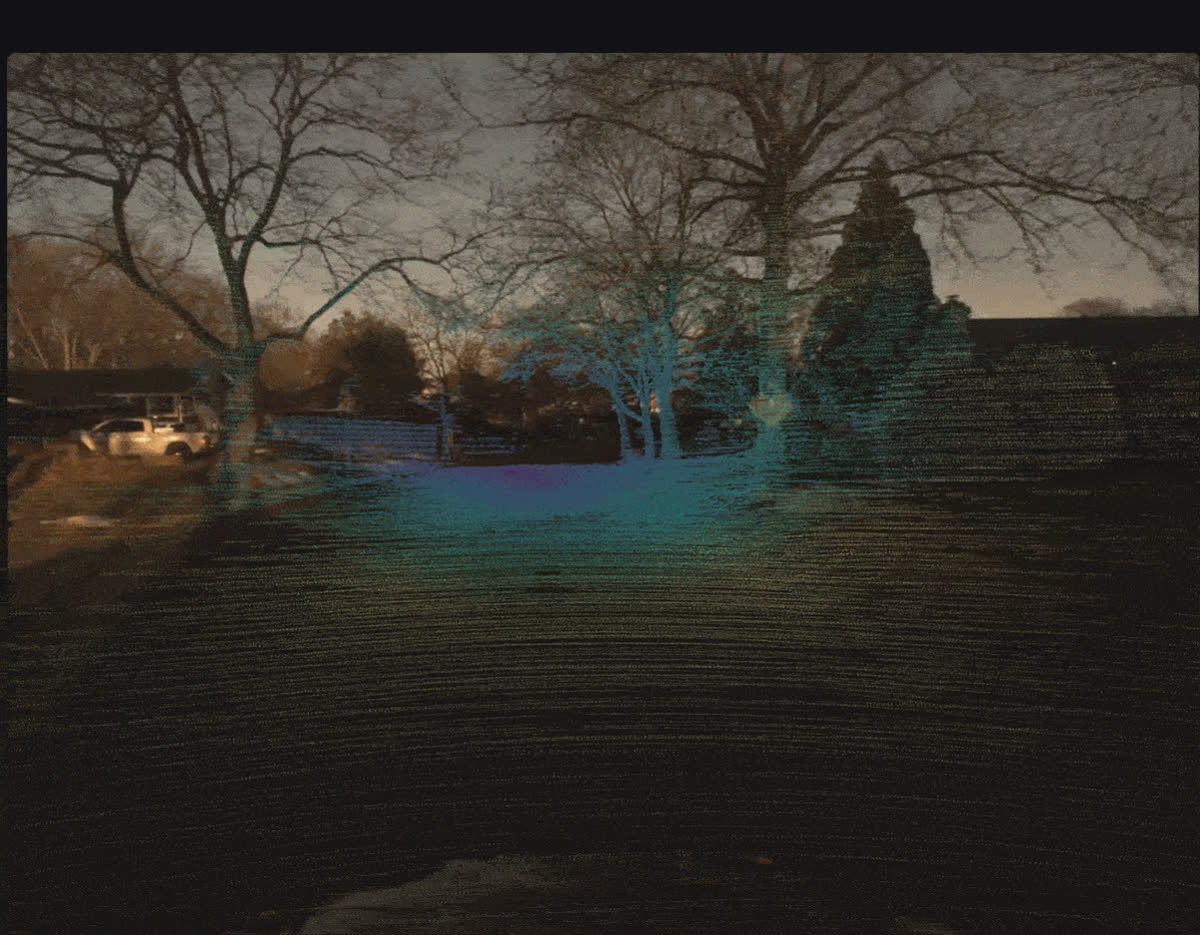
OctoSense forward-facing driving frame with 64-beam LiDAR depth rendered as a teal and blue heatmap over the road and houses at dusk.
It's the difference between having a dataset and actually knowing it.
Why OctoSense + FiftyOne = ❤️
OctoSense already ships per-sequence tooling — a Rerun timeline viewer, and a caption-search CLI. What it doesn't have is a way to explore the whole collection at once: to filter every frame by driving conditions, QA the labels side by side, cluster the scenes, and search across sequences — all cross-linked in one view.
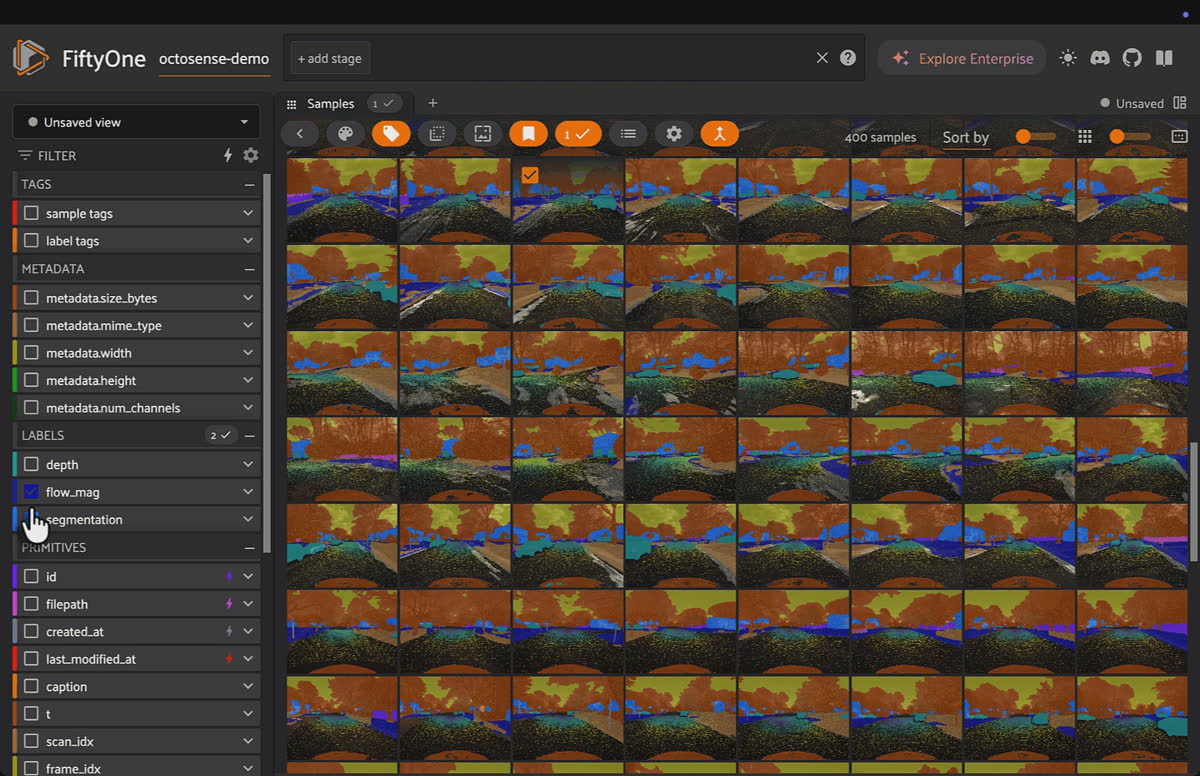
FiftyOne App grid of 400 OctoSense driving frames with a filter sidebar showing depth, flow_mag, and segmentation fields.
That's exactly the hole FiftyOne fills. Point it at OctoSense and a raw sensor archive becomes a browsable, queryable, curatable dataset. Rich data meets the cockpit built to fly it.
Demo: From Rosbags to a Browsable Dataset
Our demo notebook turns OctoSense sequences into a fully loaded FiftyOne dataset. The clever bit: because OctoSense renders all its ground truth into the rectified left-camera frame — and hands you the exact video-frame index for every LiDAR scan — one FiftyOne sample can hold a frame with every label pixel-perfectly aligned to it. So each sample carries:
- Semantic segmentation masks (Cityscapes-19) for label QA
- LiDAR depth as a heatmap — hunt for holes and blooming artifacts
- Ego-motion optical flow, derived at ingest from depth + poses
- Scene captions from a vision-language model
- Per-frame + per-sequence metadata — speed, turn rate, day/night, sensor dropout, GPS
Show Me, Don't Tell Me: Search, Cluster, and Curate OctoSense
Two brains, two kinds of search. We build a CLIP index over the pixels for natural-language visual search ("pedestrian crossing," "car turning left") and load OctoSense's own precomputed caption embeddings as a second index — so you can also find frames whose scene description matches. Same dataset, two complementary ways to ask "show me more like this."
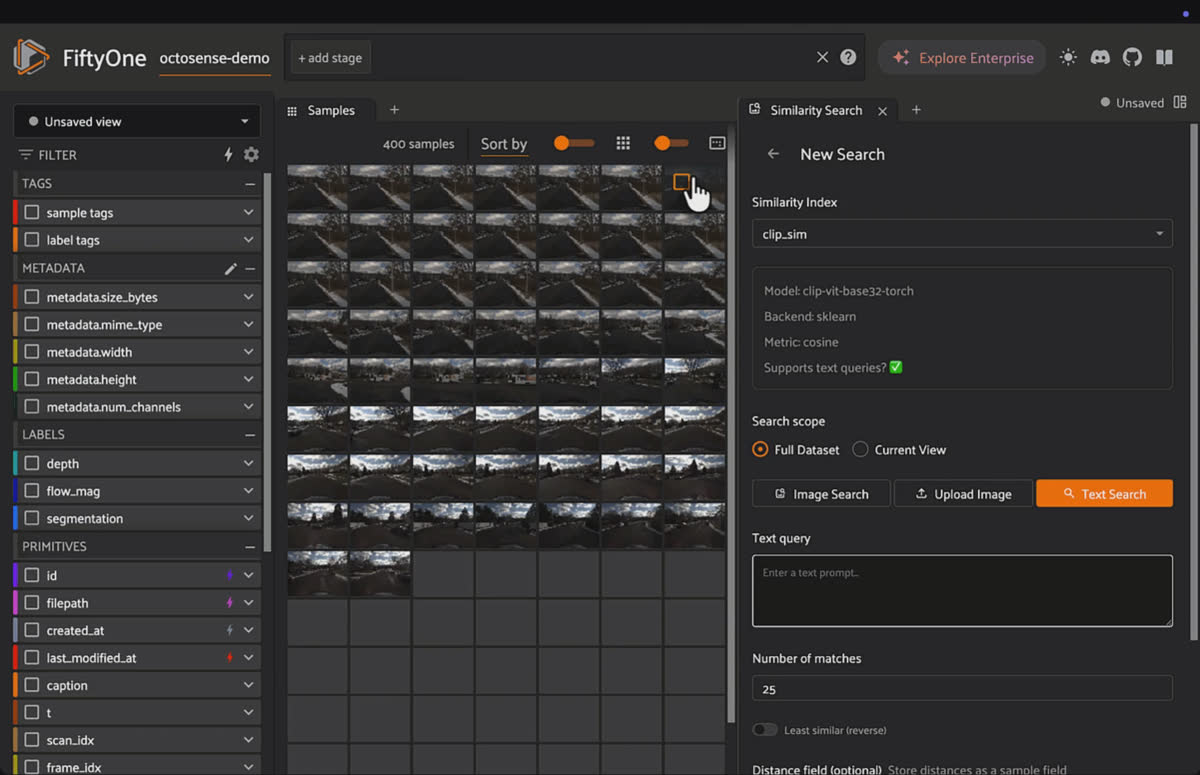
FiftyOne App with the sort-by-text-similarity search box open, ready to run a natural-language visual query over OctoSense frames.
Lasso the latent space. An embedding plot clusters the whole dataset in 2D. Draw a loop around a cluster and watch those frames light up in the grid — day/night and highway/residential tend to separate on their own.
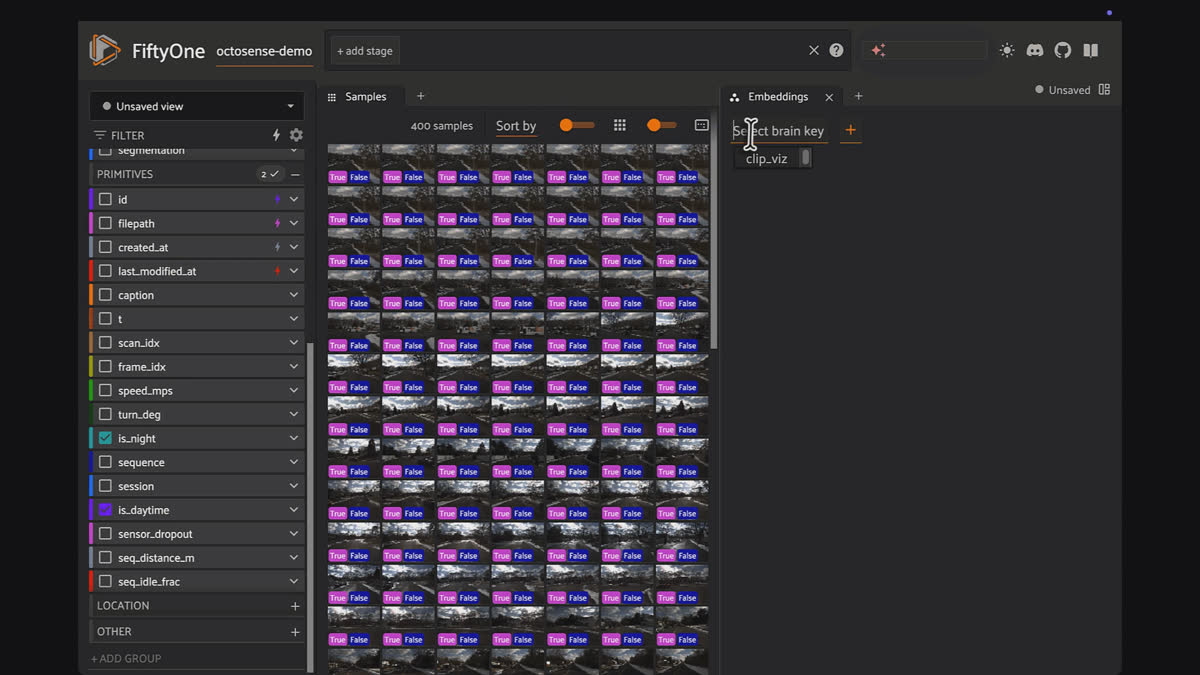
FiftyOne App field sidebar listing OctoSense per-frame metadata including speed_mps, turn_deg, is_night, sensor_dropout, and seq_distance_m.
Curate like a pro. The notebook ships with named views ready in the App's dropdown — "Flow demo: fast-moving," "QA: seg + moving," "Prune: near-stationary," "Sharp turns" — so you switch between curation slices with one click. Build a hard-case review set of fast, sharply-turning, seg-labeled frames, or isolate near-stationary stop-and-go frames as prune candidates. Dataset curation as a point-and-click activity, not a scripting chore.
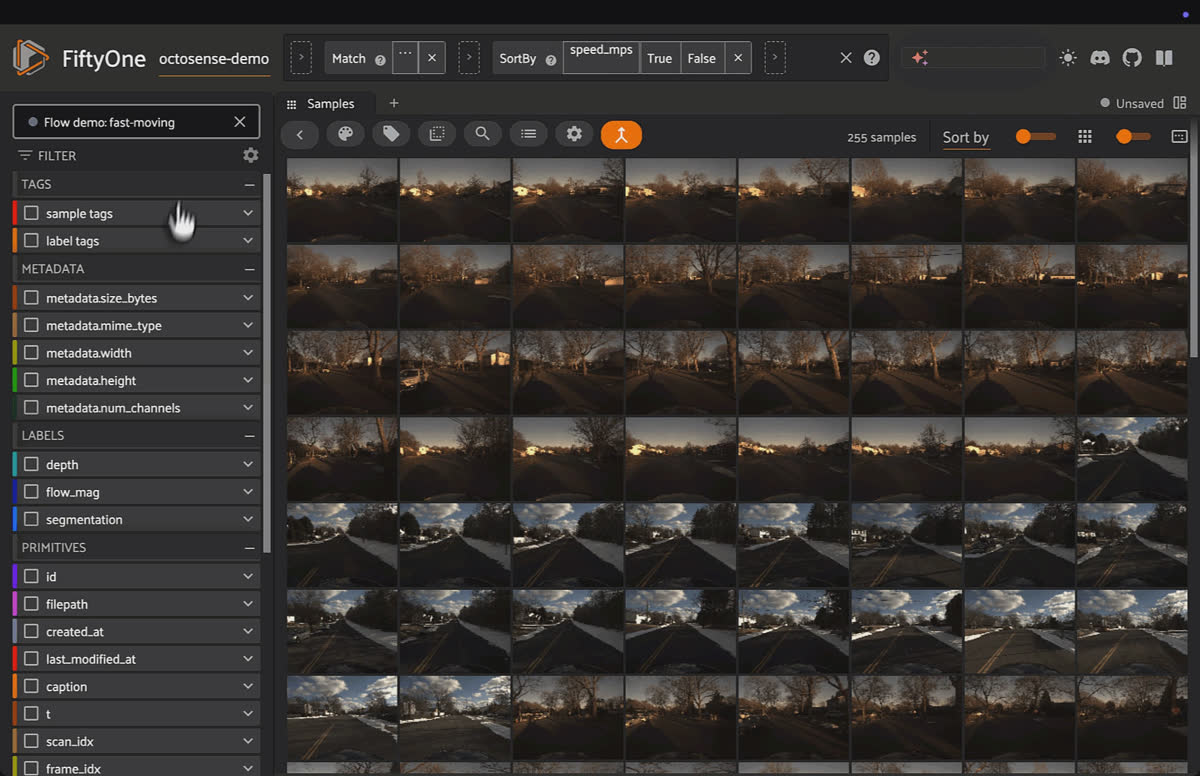
FiftyOne App grid of OctoSense frames used to build curation slices with one-click named views.
QA labels that lie. Stack depth, segmentation, and flow on a single frame and the artifacts jump out — mask bleed at object edges, depth dropouts around signs, and flow that disagrees with a moving vehicle (because the depth GT masked it as dynamic). One label reveals how another was built.
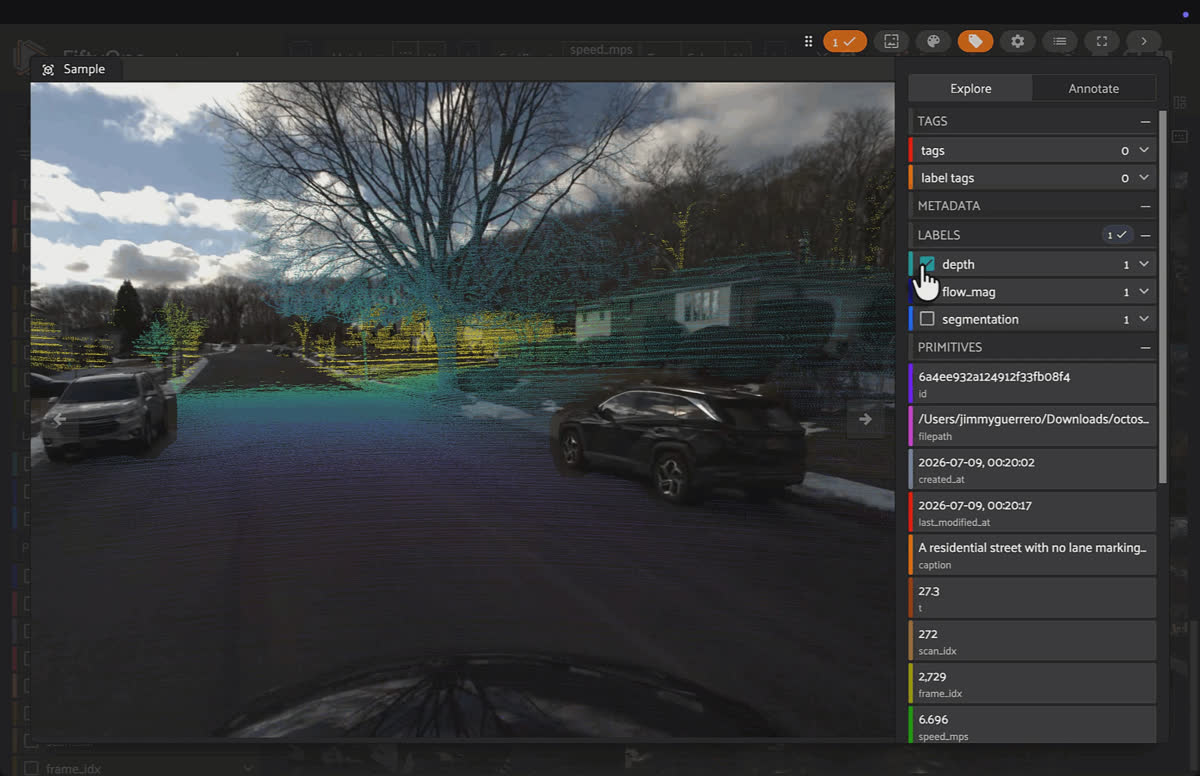
Expanded FiftyOne sample of a residential street with parked and moving cars, showing stacked depth, flow_mag, and segmentation labels plus a scene caption panel.
Reading Motion Straight Off the Pixels
Toggle on ego-motion optical flow alone and something beautiful happens. The flow field renders as a magnitude colormap — and it maps perfectly onto the physics of driving forward. The fast-moving road surface right in front of the car lights up bright yellow-green: those close points stream past fast. The vanishing point down the street stays deep blue: far-away points barely move. Between them, a smooth radial gradient spreading out from the focus of expansion.
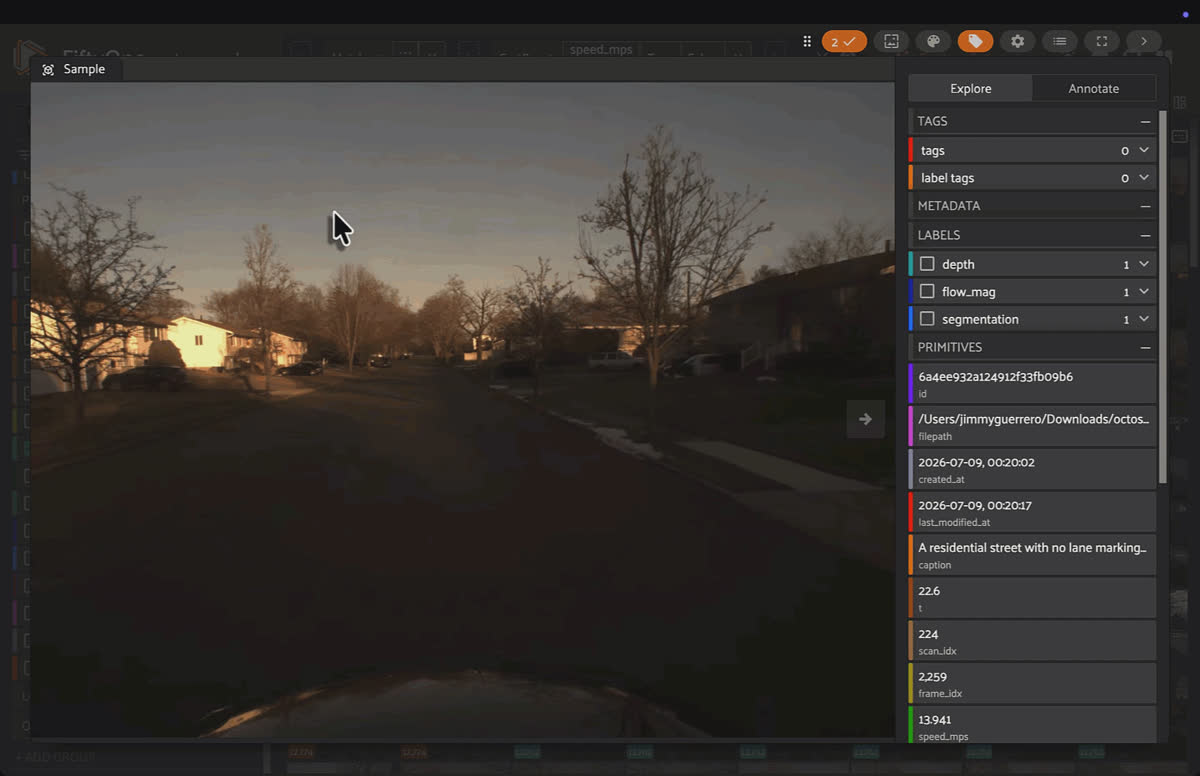
FiftyOne App filtered to the Flow demo: fast-moving named view, 255 OctoSense frames sorted by speed_mps.
That pattern isn't decoration — it's the car's forward motion, made visible. You can read the ego-motion off the colors. And when a genuinely moving object enters the scene, it breaks the gradient — which is exactly how you'd spot it in a QA pass. It's the kind of figure that makes a dataset click for someone who's never touched a rosbag.
Where to Go Next
- Grab the dataset: OctoSense on Hugging Face
- Get the code: OctoSense on GitHub
- Learn FiftyOne: Docs · FiftyOne Brain · GitHub
- Demo Notebook: GitHub
Scale it up. Add more sequences (mix in night drives — the notebook auto-skips segmentation where it's unavailable), tighten the sampling stride for denser coverage, and swap the similarity backend for a real vector database when your collection grows into the thousands. Then bring in the modalities we left on the bench — the event cameras and full LiDAR point clouds — and see how much more of the robot's world you can put under glass.
Questions? We have answers.
OctoSense is a multimodal robotics dataset made up of hundreds of time-synchronized driving sequences captured across cars, quadrupeds, and marine platforms. Each sequence bundles stereo RGB, stereo event cameras, infrared, a 64-beam LiDAR, IMU, GPS, and CAN-bus data locked to a single PPS-synchronized clock, plus ground truth for depth, semantic segmentation, optical flow, odometry, and scene captions.
OctoSense already ships per-sequence tooling like a Rerun timeline viewer and a caption-search CLI. FiftyOne adds a way to explore the whole collection at once: filter every frame by driving conditions, QA labels side by side, cluster scenes, and search across sequences, all cross-linked in one view.
OctoSense renders all of its ground truth into the rectified left-camera frame and provides the exact video-frame index for every LiDAR scan. That lets a single FiftyOne sample carry segmentation masks, LiDAR depth, optical flow, scene captions, and per-frame metadata all pixel-perfectly aligned to one frame.
The notebook builds two indexes. A CLIP index over the pixels powers natural-language visual search like "pedestrian crossing" or "car turning left," and OctoSense's precomputed caption embeddings act as a second index so you can find frames whose scene description matches your query.
Stacking depth, segmentation, and optical flow on a single frame makes artifacts jump out, such as mask bleed at object edges, depth dropouts around signs, and flow that disagrees with a moving vehicle. One label reveals how another was built.
Chief Community Officer
Jimmy is the Chief Community Officer at Voxel51, where he leads developer relations and growth. With 25+ years of experience connecting developers and enterprises to cutting-edge ML and open-source solutions, Jimmy drives impactful content, events, and education that fuel awareness, adoption, and community engagement.
See all articles by Jimmy Guerrero
Try Voxel51 for yourself
Loading related posts...
© 2026 Voxel51 All Rights Reserved


